

SafeSign - eSignature
Nexora Technologies 1 Llc · Business
Independent analytics for this App Store listing. AppTracker is not affiliated with Nexora Technologies 1 Llc.
Chart standing · US
Screenshots




About
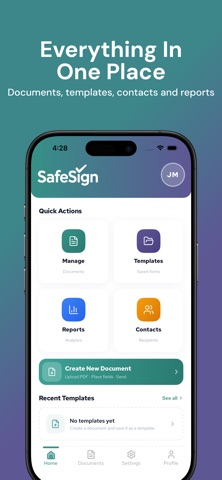
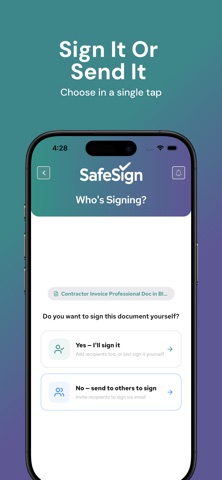
SafeSign: Simple, Secure Document Signing SafeSign lets you send, sign, and manage documents from anywhere. Upload any PDF, add signature fields, and get it signed by one person or a whole group no printing, scanning, or emailing back and forth. Key Features • Upload & Build: Turn any PDF into a signable document. Add signature, initials, text, date, checkbox, and stamp fields exactly where you need them. • Send for Signature: Send to a single recipient or bulk-send to up to 10 people at once. Each signer gets their own secure signing link by email. • Sign It Yourself: Sign a document yourself first, then route it to others, or skip straight to sending. Templates: Save frequently used documents as templates so you can reuse and resend them in seconds. Track Everything: See the status of every document at a glance: sent, pending, signed, declined, or expired. Extend a deadline with one tap. Contacts: Automatically builds a contact list from everyone you've sent documents to. Reports & Insights: A dashboard view of your signing activity documents sent, signed, and pending over 7, 30, or 90 days. Secure Sign-In: Log in with Face ID or fingerprint after your first sign-in, backed by one-time-passcode verification. Available in 7 Languages: English, French, Spanish, Tagalog, Mandarin, Arabic, and Hindi. Whether you're a freelancer sending a single contract or a business managing dozens of agreements, SafeSign keeps your documents moving and your signers accountable. Questions or feedback? Reach us at support@safesign.com.
Details