

MIDI Piano & Guitar Chords
Antonio Ortega Gonzalez · Music
Independent analytics for this App Store listing. AppTracker is not affiliated with Antonio Ortega Gonzalez.
Chart standing · US
What changed · US
Listing changes AppTracker has observed for this app in this storefront — new versions, price moves, rating shifts, and store copy.
New Interval Practice mode — ear-training exercises with answers from the piano, MIDI, or table, exercise settings, visual correction, scoring, and result review. New Note Detection mode — identify the last note played from the piano or MIDI, view it on the correct staff clef, and replay, clear, or hide its name for learning purposes. Chord Detection and Interval Detection now include an eye-icon button to hide detected information for learning purposes and reveal it again to check your answer. Chord Generation can now show the left hand, right hand, or both on the piano and staff. Instrument and guitar-orientation controls are simplified into toggle buttons. Higher overall audio level on desktop while preserving safe headroom for chords. Fixed: tapping the piano or staff in Interval Generation could stop producing sound after the first note.
Ratings breakdown · US
The star breakdown behind this app's rating in this storefront.
In-app purchases · US
No in-app purchases.
Screenshots




About
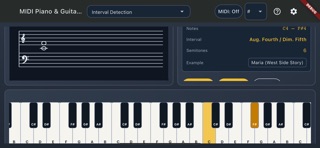
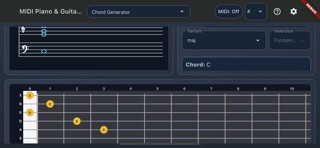
MIDI Piano & Guitar Chords is a complete music theory companion for piano and guitar players — chord detection, chord generation, scales, intervals, the circle of fifths, and a metronome, all in one app. CHORD DETECTION Play notes on the on-screen keyboard, a connected MIDI keyboard, or your guitar and instantly see the chord name, notes, and intervals on the staff. CHORD GENERATOR Pick a root note and chord type (major, minor, 7th, sus, dim, aug, and more) and see it on piano, guitar fretboard, and staff, with inversions and multiple guitar voicings to choose from. CIRCLE OF FIFTHS Tap a sector to explore diatonic chords in any key. Long-press to set the tonic and instantly see every chord that belongs to that key. SCALES Browse major, minor, modes, pentatonic, blues, and more. See note names, intervals, and documented piano fingering for both hands, with adjustable tempo and octave range. INTERVAL DETECTION Play two notes and get the interval name, semitone count, and a familiar song example to help you memorize it by ear. METRONOME A visual and audible metronome with adjustable tempo, beats per bar, subdivisions, and accent — and the piano stays interactive while it runs. MIDI SUPPORT Connect a MIDI keyboard to play and detect chords, or route sound to a connected MIDI device with the correct instrument (piano or guitar). Built for students, teachers, and musicians who want to understand what they're playing — on piano or guitar — without leaving the practice room.
What's new · 1.0.7
New Interval Practice mode — ear-training exercises with answers from the piano, MIDI, or table, exercise settings, visual correction, scoring, and result review. New Note Detection mode — identify the last note played from the piano or MIDI, view it on the correct staff clef, and replay, clear, or hide its name for learning purposes. Chord Detection and Interval Detection now include an eye-icon button to hide detected information for learning purposes and reveal it again to check your answer. Chord Generation can now show the left hand, right hand, or both on the piano and staff. Instrument and guitar-orientation controls are simplified into toggle buttons. Higher overall audio level on desktop while preserving safe headroom for chords. Fixed: tapping the piano or staff in Interval Generation could stop producing sound after the first note.
Details