

Errand List & To-Do: YABOYO
Naoto Tazawa · Utilities
Independent analytics for this App Store listing. AppTracker is not affiliated with Naoto Tazawa.
Chart standing · US
What changed · US
Listing changes AppTracker has observed for this app in this storefront — new versions, price moves, rating shifts, and store copy.
Minor bug fixes and stability improvements.
In-app purchases · US
No in-app purchases.
Screenshots



About
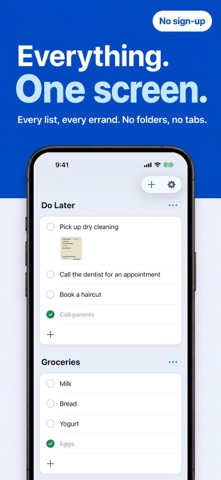
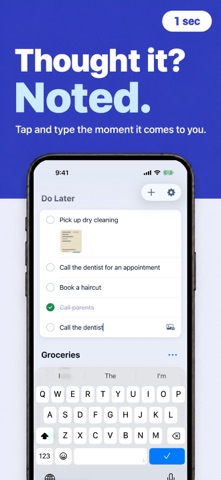
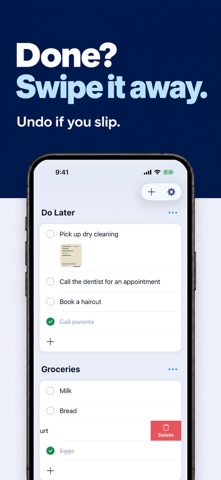
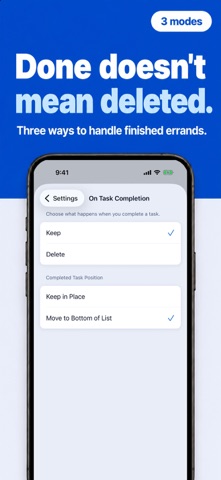
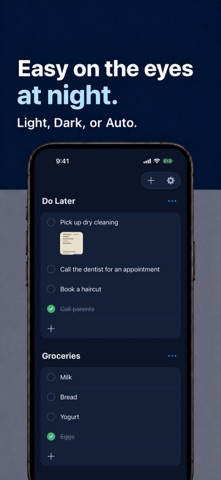
"Pick up dry cleaning." "Buy milk." "Call the dentist." — Sound familiar? Get it all out of your head and into YABOYO. YABOYO is for jotting down little errands and swiping them away. It's not a task manager. No account. No password. Install it, open it, start using it. ■ See Everything at a Glance One screen. Every list. Every errand. No tapping through folders or switching tabs. "What's left on my list?" — Open the app. 0.5 seconds to your answer. ■ Lightning Fast • Add an errand → Tap and type. 1 second. • Rapid entry → Hit Enter to keep adding. • Mark done → Tap the checkbox. 0.3 seconds. • Delete → Swipe left. 0.5 seconds. • Reorder → Hold and drag. From thought to note in under 10 seconds. ■ Feels Good in Your Hands Every interaction comes with smooth iOS-native animations and haptic feedback. The satisfying tap of a checkbox. The silky swipe of a deletion. The subtle lift of a drag-and-drop. Built to make you want to come back. ■ Done — Now What? Choose what happens when you complete an errand: • Keep it (in place) → See what you've accomplished • Keep it (move to bottom) → Keep unfinished items at the top • Delete it → Gone is gone Most apps only let you delete. YABOYO lets you choose. ■ Oops? No Problem. Accidentally deleted something? An "Undo" button appears for 5 seconds. One tap and it's back. ■ Widgets Add a widget to your Home Screen to check errands without opening the app. • Small → Top 5 unfinished errands • Medium → Up to 10, grouped by list • Large → Up to 20, grouped by list Lock Screen widgets too. On iOS 17+, complete errands directly from the widget. ■ Quick Action Long-press the app icon → "Add Errand" shortcut. Capture a thought the moment it hits you. ■ Link Previews Paste a URL and it turns into a preview card — site image, title, and domain at a glance. No more mystery links. Tap to open in the in-app browser. Recipes, articles, "check this later" pages — perfect for links that don't deserve a bookmark. ■ Snap a Photo Attach a photo to any errand. A screenshot of "grab this one, please," a product package, where you parked — some things are easier to remember with a picture. ■ Unlimited Lists "Groceries." "Errands." "Moving checklist." Create as many lists as you need. ■ Also Includes • Dark mode (Light / Dark / Auto) • Bilingual (English / Japanese) • App badge (unfinished errand count) • Pull-down quotes (a little daily wisdom, every pull) • VoiceOver accessible • No account required • Completely free ■ Perfect For • Quick grocery and shopping lists • Getting "I need to remember this" out of your head • Links you want to see again — without bookmarking them • People who find reminder apps too heavy • Anyone who thinks task managers are overkill • People who want to start NOW — no sign-up ■ The Name YABOYO comes from the Japanese word "Yaboyo" (野暮用) — a little errand, something small and unremarkable. Not every task deserves a project plan. Some things just need to be jotted down, checked off, and forgotten. YABOYO brings this Japanese concept to the world — the art of keeping things light.
What's new · 1.5.12
Minor bug fixes and stability improvements.
Details