

VSCO Studio Pro: Photo Editor
Visual Supply Company · Photo & Video
Independent analytics for this App Store listing. AppTracker is not affiliated with Visual Supply Company.
Chart standing · US
What changed · US
Listing changes AppTracker has observed for this app in this storefront — new versions, price moves, rating shifts, and store copy.
This release brings more of your photography workflow into Studio Pro, from importing photos to making precise edits. • Import from SD cards Bring photos directly from an SD card into Studio Pro and start editing faster • Shoot tethered Connect a supported camera to your device and see photos appear in Studio Pro in real time as you shoot. JPEG support only for now • Refine your composition Crop, straighten, and choose an aspect ratio to fine-tune your photos • Undo and redo edits Step backward or forward through your edits so you can experiment more freely
Price & rating history · US
Reconstructed from the listing changes AppTracker has observed in this storefront. A field is charted once it has changed more than once, and each line starts at the value it moved from.
Average rating · ★ 3.70 now · 2 changes on record
Ratings breakdown · US
The star breakdown behind this app's rating in this storefront.
In-app purchases · US
What this app sells inside itself, grouped by kind and priced for this storefront.
Screenshots



About
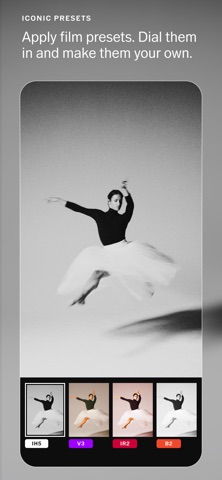
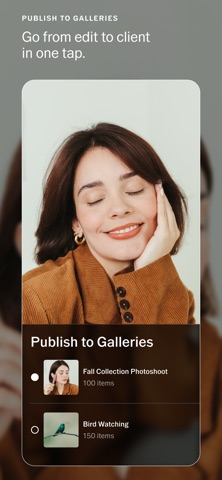
Studio-grade editing. Made to scale. VSCO Studio Pro is a professional photo editor backed by over a decade of film research and trusted by millions of photographers worldwide. Batch edit hundreds of images, match the tone and color of any photo you love in one tap, customize every export, and deliver your work faster. RECREATE ANY STYLE One reference image transforms your entire photoshoot. Style Match lets you capture the color, tone, and mood of any image and apply it to one photo or an entire batch of 100. Create and customize the exact look you want, without the manual work. BATCH EDITING AT SCALE Edit 100 images in one tap, just like a professional desktop studio. Apply presets, fine-tune adjustments, then rename, resize, compress, and export every image in one seamless workflow. VSCO PRESETS VSCO presets are the result of years of lab-based film research. Experiment with meticulous emulations of the analog stocks that shaped how photography looks today. Apply any of them to one image or an entire photoshoot. Dial them in. Make them your own. FULL MANUAL CONTROL When you need precision, it's there. Exposure, contrast, highlights, shadows, white balance, temperature, tint, grain, and HSL give you the depth of a desktop suite in a mobile studio. Adjust one image or make changes across a full set. PUBLISH DIRECTLY TO VSCO Skip the extra steps. Batch publish finished images directly to your VSCO profile or client-ready VSCO Galleries. Go from final edit to portfolio or delivery in minutes, not hours. EXPORT YOUR WAY Professional delivery starts before you hit send. Rename every file, choose exact dimensions, control quality and file size, and export single images or full batches ready for clients, social, or the web. ALL-NEW ENGINE See every edit happen in real time. VSCO Studio Pro runs on an all-new image and graphics engine, built from the ground up to give photographers professional-grade precision at the speed of creativity. Read more about our terms and conditions here — https://www.vsco.co/about/terms-of-use Read more about our privacy policy here — https://www.vsco.co/about/privacy-policy
What's new · 1.3.0
This release brings more of your photography workflow into Studio Pro, from importing photos to making precise edits. • Import from SD cards Bring photos directly from an SD card into Studio Pro and start editing faster • Shoot tethered Connect a supported camera to your device and see photos appear in Studio Pro in real time as you shoot. JPEG support only for now • Refine your composition Crop, straighten, and choose an aspect ratio to fine-tune your photos • Undo and redo edits Step backward or forward through your edits so you can experiment more freely
Details