

Quick Memo+ToDo - PinDeck
ChanGyu Kang · Productivity
Independent analytics for this App Store listing. AppTracker is not affiliated with ChanGyu Kang.
Chart standing · US
What changed · US
Listing changes AppTracker has observed for this app in this storefront — new versions, price moves, rating shifts, and store copy.
PinDeck 1.4.8 gives you more ways to capture, organize, and access your notes. • Added Smart Filter widgets for Important notes, Today's Reminders, and tags. • Added App Lock with Face ID, Touch ID, or device passcode. (Pro) • Added weekly, monthly, and one-time reminders with improved sync across devices. • Expanded memo text size to five levels and applied it consistently across widgets. • Added link previews with page titles and icons inside memo details. • Added JSON backup import/export and Markdown export. • Added a Share Extension to save text and links directly to PinDeck. • Add notes faster with Siri, Shortcuts, and Control Center. • Added an option to hide selected card content in widgets while your device is locked. • Improved iCloud sync, reminders, widgets, and overall stability.
Screenshots


About
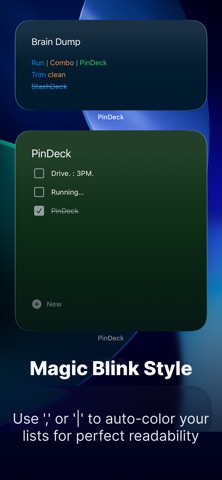
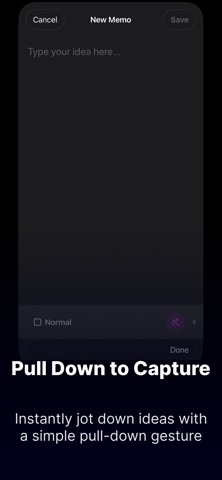
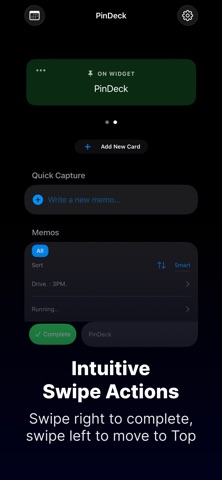
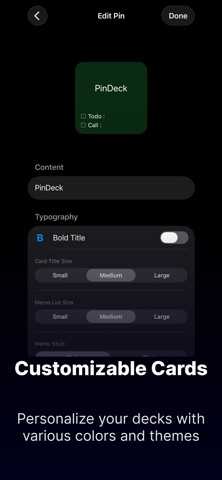
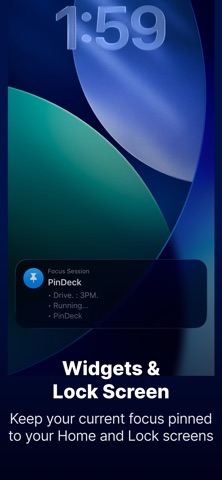
PinDeck is built around Quick Capture. Record ideas, tasks, and thoughts before they slip away, then organize them neatly by card. PinDeck is a simple productivity app that helps you manage notes, tasks, checklists, and ideas in a card-based format. With intuitive gestures, Home Screen widgets, Lock Screen widgets, search, hashtags, and calendar integration, you can capture what matters faster and find it again more easily. [ Key Features of PinDeck ] Quick Capture and Intuitive Gestures • Pull to create: Pull down on the list to instantly open a new memo composer. • Swipe right: Mark a task as complete with a quick right swipe. • Swipe left: Open hidden actions to delete a memo or move an important memo to the top of the list. Faster Access and Capture with Widgets • View frequently used cards and memos directly from Home Screen widgets. • Add a new memo directly from a card, even when you have many notes. • Check important memos faster with Lock Screen widgets. Card-Based Memo Organization • Organize projects, tasks, ideas, and checklists by card. • Use commas (,) and vertical bars (|) to create simple, readable list-style memos. • Customize your memo space with various background color themes. Classification and Search • Use hashtags (#) to organize memos by topic. • Quickly find what you need with search. Calendar Integration • Export written memos as calendar events and use them for schedule management. iCloud Sync • Continue using your cards and memos across iPhone, iPad, and Mac with iCloud. PinDeck does not collect or track user data. Terms of Use (EULA): https://www.apple.com/legal/internet-services/itunes/dev/stdeula/ Privacy Policy: https://nicechann.github.io/pindeck-privacy.html
What's new · 1.4.8
PinDeck 1.4.8 gives you more ways to capture, organize, and access your notes. • Added Smart Filter widgets for Important notes, Today's Reminders, and tags. • Added App Lock with Face ID, Touch ID, or device passcode. (Pro) • Added weekly, monthly, and one-time reminders with improved sync across devices. • Expanded memo text size to five levels and applied it consistently across widgets. • Added link previews with page titles and icons inside memo details. • Added JSON backup import/export and Markdown export. • Added a Share Extension to save text and links directly to PinDeck. • Add notes faster with Siri, Shortcuts, and Control Center. • Added an option to hide selected card content in widgets while your device is locked. • Improved iCloud sync, reminders, widgets, and overall stability.
Details