

To Live - Video To Live Photo
城洲 李 · Photo & Video
Independent analytics for this App Store listing. AppTracker is not affiliated with 城洲 李.
Chart standing · US
What changed · US
Listing changes AppTracker has observed for this app in this storefront — new versions, price moves, rating shifts, and store copy.
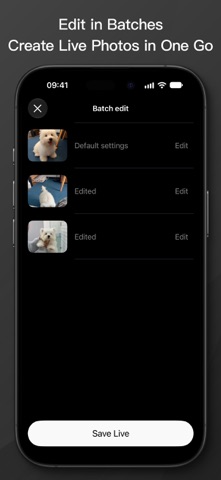
1. Added batch video-to-Live conversion. Select multiple videos and convert them together. 2. Edit videos individually and keep each video's trim settings. 3. Improved download and conversion progress displays for clearer processing status. 4. Refined the layout and trimming timeline to fit different screen sizes. 5. Improved membership benefit syncing and the promo code redemption experience.
Ratings breakdown · US
The star breakdown behind this app's rating in this storefront.
In-app purchases · US
What this app sells inside itself, grouped by kind and priced for this storefront.
Screenshots


About
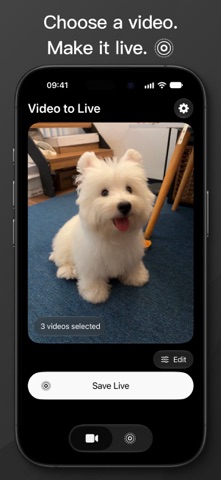
Bring your favorite moments to life. Turn videos into Live Photos for your iPhone Lock Screen or photo library. Choose a clip from Photos or Files, fine-tune it, and make it a moment worth keeping. VIDEO TO LIVE PHOTO • Import videos from Photos or Files. • Trim each clip and adjust duration, resolution, playback speed, and audio. • Batch convert multiple videos. Edit clips individually and keep each clip’s trim settings. LIVE PHOTO EXPORTS • Turn a Live Photo into a standard video or export its still image. Your media stays on your iPhone. To Live processes your photos and videos on-device and never uploads them to a server. One lifetime purchase. No subscription or automatic renewal. Family Sharing is supported. Purchases are handled by the App Store. User Agreement: https://zhubi.github.io/ToLive/Disclamier Privacy Policy: https://zhubi.github.io/ToLive/Privacy_policy Terms of Use (EULA): https://www.apple.com/legal/internet-services/itunes/dev/stdeula/
What's new · 1.0.7
1. Added batch video-to-Live conversion. Select multiple videos and convert them together. 2. Edit videos individually and keep each video's trim settings. 3. Improved download and conversion progress displays for clearer processing status. 4. Refined the layout and trimming timeline to fit different screen sizes. 5. Improved membership benefit syncing and the promo code redemption experience.
Details