

GeoArt Creator
Murat Saygin · Graphics & Design
Independent analytics for this App Store listing. AppTracker is not affiliated with Murat Saygin.
Chart standing · US
What changed · US
Listing changes AppTracker has observed for this app in this storefront — new versions, price moves, rating shifts, and store copy.
Missions – a brand-new game mode 120 missions: build pictures like houses, cars, robots, animals, castles and whole scenes out of shapes. Difficulty grows step by step: colored hints first, then outlines only, then shape-detective levels where the picture reveals its colors as you build. From level 101 on, pieces must also be rotated into place. Earn up to 5 stars per mission based on time and accuracy. Each mistake costs a star. One free hint per mission. Extra hints cost a star. Relaxed mode: play without a timer. Optional colored pieces for the shape-detective levels. Sound effects and haptic feedback (on supported devices). A short animated guide in the first mission. Save any finished mission picture to your gallery and keep editing it in the editor. Faster and more reliable Your artwork now loads instantly, even on the very first launch. Fixed an issue where saved artwork could sometimes not appear, or the editor opened empty. Smoother editing with faster saving and quicker scene loading. Better on every screen Full-screen layout that adapts to any screen size, including foldable displays. Buttons stay clear of the fold on foldable phones. Improved on-screen keyboard handling: text fields stay visible, plus a new one-tap Paste button.
Price & rating history · US
Reconstructed from the listing changes AppTracker has observed in this storefront. A field is charted once it has changed more than once, and each line starts at the value it moved from.
Price · 0.49 USD now · 4 changes on record
In-app purchases · US
No in-app purchases.
Screenshots



Similar apps
Competitors and close alternatives, as estimated by AppTracker.








About
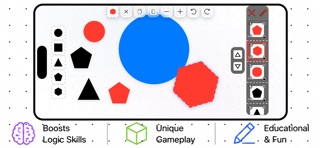
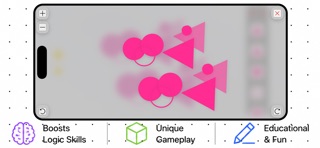
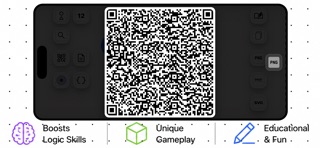
GeoArt Creator is a creative studio where you combine, resize, rotate, and animate 8 different geometric shapes to build anything you can imagine. WHAT YOU CAN DO: Combine 8 geometric shapes (circle, square, triangle, rectangle, thin rectangle, pentagon, hexagon, star) to create unique designs Resize shapes freely — from 1/12 of screen height up to 80% of screen width Rotate any shape in precise 1° steps (except circle) Switch between filled and outlined shapes with a single tap Save your creations as PNG and share them via AirDrop, Messages, Mail, or any app Load a saved PNG to instantly restore your scene Watch shapes animate smoothly onto the screen Lock figures with one tap — prevent accidental movement Layer panel to view and manage the order of your figures Position with pixel precision using directional controls Restore the last deleted figure with one button Activate or deactivate shapes for a larger workspace PERFECT FOR: Kids learning shapes and geometry Creative art projects Visual thinking and spatial skills Design exploration and pattern making Classroom and homeschool activities SAFE & PREMIUM: No ads No subscriptions No in-app purchases Works 100% offline No data collected Share your artwork anywhere with the built-in export feature -- Note: The downloaded PNG file is an image file with metadata. It can only be opened with GeoArt. Unfortunately, image preview is not available in this version. The app icon is downloaded to your device along with the PNG data file.
What's new · 5.9
Missions – a brand-new game mode 120 missions: build pictures like houses, cars, robots, animals, castles and whole scenes out of shapes. Difficulty grows step by step: colored hints first, then outlines only, then shape-detective levels where the picture reveals its colors as you build. From level 101 on, pieces must also be rotated into place. Earn up to 5 stars per mission based on time and accuracy. Each mistake costs a star. One free hint per mission. Extra hints cost a star. Relaxed mode: play without a timer. Optional colored pieces for the shape-detective levels. Sound effects and haptic feedback (on supported devices). A short animated guide in the first mission. Save any finished mission picture to your gallery and keep editing it in the editor. Faster and more reliable Your artwork now loads instantly, even on the very first launch. Fixed an issue where saved artwork could sometimes not appear, or the editor opened empty. Smoother editing with faster saving and quicker scene loading. Better on every screen Full-screen layout that adapts to any screen size, including foldable displays. Buttons stay clear of the fold on foldable phones. Improved on-screen keyboard handling: text fields stay visible, plus a new one-tap Paste button.
Details