

AirScreen DLNA Receiver
Xu Wang · Utilities
Independent analytics for this App Store listing. AppTracker is not affiliated with Xu Wang.
Chart standing · US
What changed · US
Listing changes AppTracker has observed for this app in this storefront — new versions, price moves, rating shifts, and store copy.
• Continuous album playback: the next track starts automatically when one ends, so you no longer need to skip manually with apps like Audirvana • Refined music player layout on iPad • Video titles now update when the sender switches streams • Video settings are now fully localized and show the current playback URL • Better compatibility with more casting sources and more accurate playback state reporting • Bug fixes and playback stability improvements Thanks for using AirScreen!
In-app purchases · US
No in-app purchases.
Screenshots




Keywords this app targets
Search terms AppTracker associates with this app — estimates, not search volume. ❝ = in the app's title; a highlighted number is its current position for that term.
Similar apps
Competitors and close alternatives, as estimated by AppTracker.
 TVScreen - Cast & Remote
健 耿
TVScreen - Cast & Remote
健 耿
 Screen Mirroring+ App
Kraus und Karnath GbR 2Kit Consulting
Screen Mirroring+ App
Kraus und Karnath GbR 2Kit Consulting
 Screen Mirroring & CastConnect
Janki Panchani
1 shared topic
Screen Mirroring & CastConnect
Janki Panchani
1 shared topic
 MediaCast
navaratnam manoranjan
MediaCast
navaratnam manoranjan
 iPlayTo - Media Cast
俊红 柴
1 shared topic
iPlayTo - Media Cast
俊红 柴
1 shared topic
 Miracast: Screen Mirroring TV
Hainan Delta Software Co., Ltd
1 shared topic
Miracast: Screen Mirroring TV
Hainan Delta Software Co., Ltd
1 shared topic
 Screen Mirroring: AirPlay Cast
flamingo quokka
Screen Mirroring: AirPlay Cast
flamingo quokka
 Air Camera
Marc Castles
Air Camera
Marc Castles
About
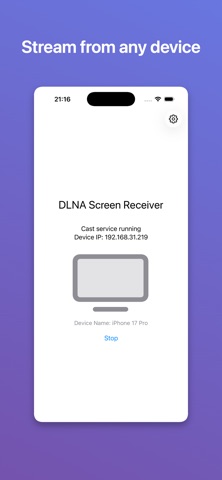
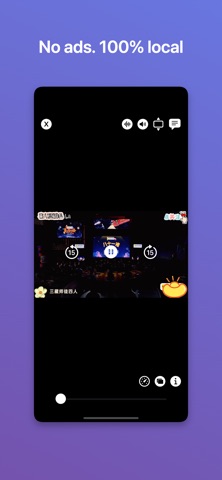
AirScreen turns your iPhone, iPad, or Mac into a DLNA receiver. One app, and it runs on iPhone, iPad, Mac, and Apple TV. With devices on the same Wi-Fi, use any DLNA-capable casting app on your phone, computer, or tablet to send video and music here and play it on this device. What you can do • Start or stop the receiver with one tap, so this device shows up in other devices' cast lists • Receive and play cast video and music, with FFmpeg-based decoding and wide format support • Control playback here: play, pause, seek • Background audio: music keeps playing after you leave the app • Switch subtitles and audio tracks, adjust subtitle delay, search subtitles online • Check playback details: resolution, bitrate, frame rate, dropped frames • Play History: the last 50 items, ready to reopen with one tap • Rename this device in Settings so it's easy to spot when casting How to use 1. Put this device and the sending device on the same Wi-Fi. 2. Open AirScreen, tap Start, and allow Local Network access when prompted. 3. On the other device, open a DLNA casting app, pick this device by name, then choose what to play. Technical note AirScreen uses SSDP and a local HTTP server for DLNA discovery and control. Media streams directly from the URL the sender provides; the app does not store or relay your content. Local Network permission is required for discovery and receiving casts. Privacy and data No account, no sign-in, no data collection. Settings such as the device name are stored only on this device and are never uploaded. No ads, no analytics, no third-party tracking. Questions or feedback? Use Contact Us in the app.
What's new · 1.1.2
• Continuous album playback: the next track starts automatically when one ends, so you no longer need to skip manually with apps like Audirvana • Refined music player layout on iPad • Video titles now update when the sender switches streams • Video settings are now fully localized and show the current playback URL • Better compatibility with more casting sources and more accurate playback state reporting • Bug fixes and playback stability improvements Thanks for using AirScreen!
Details