

iRecordScreen: Screen Recorder
Beijing Zaomeng Shidai Technology Co., Ltd. · Photo & Video
Independent analytics for this App Store listing. AppTracker is not affiliated with Beijing Zaomeng Shidai Technology Co., Ltd.
Chart standing · US
What changed · US
Listing changes AppTracker has observed for this app in this storefront — new versions, price moves, rating shifts, and store copy.
Version 1.4.1 - Audio Sync and Recording Controls Fixed - Improved audio-video sync for microphone recordings and recordings that mix app audio with the microphone - Improved audio continuity to reduce silent gaps - Improved FaceCam orientation in portrait, landscape, and Picture in Picture New - Added Content Clear, Balanced, and Voice Clear mix presets, plus custom app audio and microphone levels - Added microphone input selection for Automatic, iPhone Microphone, or an external device
Price & rating history · US
Reconstructed from the listing changes AppTracker has observed in this storefront. A field is charted once it has changed more than once, and each line starts at the value it moved from.
Average rating · ★ 4.66 now · 15 changes on record
Ratings breakdown · US
The star breakdown behind this app's rating in this storefront.
Screenshots



About
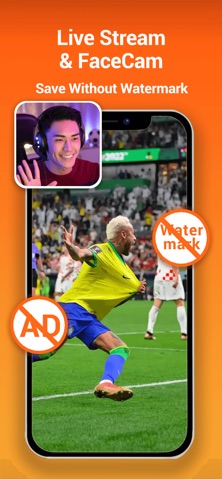
iRecordScreen is a free, simple, and powerful screen recording app for iPhone and iPad. 100% free — no watermark, no time limit, no subscription. Record your screen in ultra-HD up to 4K quality with original device resolution. iRecordScreen — screen recording made simple. HIGHLIGHTS - 100% free, no watermark, no time limit, no subscription - 4K ultra-HD recording: up to 4K resolution with high bitrate and high frame rate - FaceCam: face-in-frame recording for live streaming, tutorials, and narration - Internal audio: record device audio — game sounds, music, and calls in high fidelity - Internal + mic: record system audio and microphone simultaneously for commentary - Scheduled recording: auto-stop timer with crash-safe segment saving - Built-in audio denoising: reduce background noise for crystal-clear sound - Built-in video editor with 10+ tools - Share directly to YouTube, Instagram, TikTok, and more RECORDING SCENARIOS - Game: Capture mobile gameplay in HD, record while you play - Meeting: Record Zoom, Google Meet, Teams, and FaceTime calls - Online Class: Save lectures and online courses for later review - Live Stream: Record live streams from YouTube, Twitch, and more - Tutorial: Create how-to videos and screen walkthroughs - FaceCam Live: Show your face while streaming games or tutorials - FaceCam Narration: Face-in-frame for presentations and reviews - Video Calls: Save important video conversations FACECAM - Face-in-frame: picture-in-picture camera overlay during screen recording - Live streaming: show your face while streaming games, sharing knowledge, or selling - Narration: record tutorials, courses, and product reviews with on-camera presence - Front or rear camera support - Adjustable size and aspect ratio (circle, square, widescreen, and more) SCREEN RECORDING - System-level screen recording - 4K ultra-HD with high bitrate and frame rate - Internal audio + microphone dual recording - Scheduled auto-stop (1 - 60 min) with segment saving - Countdown timer (3s / 5s / 10s) - Custom resolution, frame rate, and bitrate - Auto-detect landscape or portrait orientation - No watermark, unlimited duration INTERNAL AUDIO & DENOISING - Internal audio: capture game sounds, music, and ringtones - Microphone: add voiceovers and commentary - Internal + mic: record both at the same time - Denoising: reduce background noise for crystal-clear sound - Mute: strip all audio from any video - Voice Change: fun voice effects — high/low pitch or custom VIDEO EDITING - Trim: Remove unwanted sections with keep or delete mode - Compress: Shrink file size while preserving quality - Merge: Combine multiple clips into one video - Split: Cut a video into two parts at any point - Speed: Slow motion 0.25x to fast forward 5x - Rotate: Rotate or flip in any direction - Reverse: Play your video backwards MANAGE & SHARE - All recordings in one organized list - Built-in player with adjustable playback speed - Rename, batch select, delete, or export - Save to Photos or share to YouTube, Instagram, TikTok, and more DESIGNED FOR EVERYONE - Clean, intuitive interface for iPhone and iPad - Dark mode support, English and Chinese Download iRecordScreen — screen recording made simple. Contact us: support@miremire.com Privacy Policy: https://irecordscreen.com/privacy/ Terms of Service: https://irecordscreen.com/terms/
What's new · 1.4.1
Version 1.4.1 - Audio Sync and Recording Controls Fixed - Improved audio-video sync for microphone recordings and recordings that mix app audio with the microphone - Improved audio continuity to reduce silent gaps - Improved FaceCam orientation in portrait, landscape, and Picture in Picture New - Added Content Clear, Balanced, and Voice Clear mix presets, plus custom app audio and microphone levels - Added microphone input selection for Automatic, iPhone Microphone, or an external device
Details