

WiFi Finder - Password Map
Gavin Quinn · Utilities
Independent analytics for this App Store listing. AppTracker is not affiliated with Gavin Quinn.
Chart standing · US
What changed · US
Listing changes AppTracker has observed for this app in this storefront — new versions, price moves, rating shifts, and store copy.
- Fixed an issue where the collapsible sections in the settings would cut off the last setting. - The Map and General settings sections now remember whether you left them collapsed or expanded the next time you open the app. - New Notification Feature: If you report something (such as a request to remove a WiFi spot from the app), and our admin team accepts this request, you'll now get a notification on the settings page to confirm with you that your request was granted. - Redesigned WiFi spot cards in the list view. - WiFi info sheets now open at their full height, unless you are on the map tab. - Fixed some languages not translating parts of the app. - General bug fixes. - Significant performance improvements.
Ratings breakdown · US
The star breakdown behind this app's rating in this storefront.
In-app purchases · US
No in-app purchases.
Screenshots


About
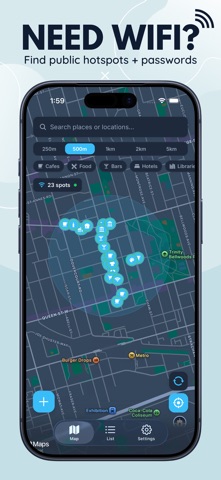
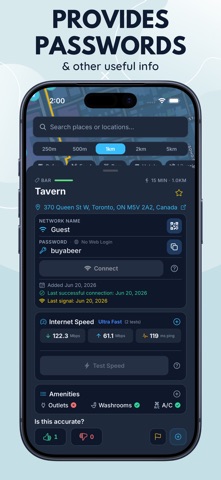
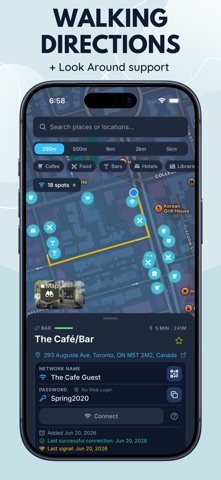
Discover free WiFi wherever you go. WiFi Finder is a crowd-sourced app that helps you find and share public WiFi passwords at cafes, restaurants, bars, hotels, libraries, and thousands of other locations. No account required — just open the app and start exploring. Interactive Map See WiFi spots near you on a live map with category-specific markers. Filter by distance (250m to 5km) and browse by category — cafes, food, bars, hotels, fitness, transit, health, and more. Need Fast internet? Filter by internet speed to make sure you find internet that fits your needs. Directions + Look Around Provides walking directions directly on the map for anything less than 1 hour away. Tap the Look Around image to see the Apple Map street level imagery for that location. Add & Share WiFi Spots Help the app's community & add WiFi information to the app. Tap the + button to contribute. Search for the business, enter the network name and password, and submit. Your contributions help keep the community connected. Offline Mode Download all data for any area, so you can find a connection even without a data plan. Vote & Verify Every WiFi entry can be upvoted or downvoted by the community. The WiFi spots health relies on community engagement, confirmed connections and voting data. Speed Tests Run a built-in speed test to measure download speed, upload speed, and ping. Your results are shared with the community so others can see what to expect before connecting. Works Across Your Devices Available on iOS, for either your iPhone or iPad. 20+ Languages WiFi Finder speaks your language. The app is fully translated into 20 languages including English, French, Spanish, German, Japanese, Korean, Chinese, Arabic, Hindi, Portuguese, and more. Privacy First No account, no sign-up, no tracking. Your location is used only to show nearby spots and is never stored or shared. WiFi Finder uses anonymous device identification so you can contribute and vote without creating a profile. Community Driven Every WiFi password in the app comes from real users. The more people contribute, the better the app gets for everyone. Help build the world's most comprehensive database of public WiFi spots.
What's new · v2.5.3
- Fixed an issue where the collapsible sections in the settings would cut off the last setting. - The Map and General settings sections now remember whether you left them collapsed or expanded the next time you open the app. - New Notification Feature: If you report something (such as a request to remove a WiFi spot from the app), and our admin team accepts this request, you'll now get a notification on the settings page to confirm with you that your request was granted. - Redesigned WiFi spot cards in the list view. - WiFi info sheets now open at their full height, unless you are on the map tab. - Fixed some languages not translating parts of the app. - General bug fixes. - Significant performance improvements.
Details