

UniReader: Multi-Format Reader
Guglielmo Pasa · Productivity
Independent analytics for this App Store listing. AppTracker is not affiliated with Guglielmo Pasa.
Chart standing · US
What changed · US
Listing changes AppTracker has observed for this app in this storefront — new versions, price moves, rating shifts, and store copy.
What's New 1.10.0 - Identify your books online: look a document up in Open Library and Crossref from its details, compare the proposals - cover, publisher, year, ISBN - and accept the right one. - The details sheet now carries ISBN, summary and language. - DjVu, CHM and MOBI open faster, the app is 45 MB lighter, and Microsoft Reader (LIT) books finally open. - A reading position coming from the desktop app is restored properly - it used to reopen the book at the first page. - DjVu: the page's text can now be selected as in a PDF - long-press a word, drag the handles, then copy, highlight or look it up. Zooming stays sharp and keeps its place. - Word, FB2 and MOBI books open with their chapters and their table of contents. - Fit to width now fills the screen edge to edge, dark pages no longer have a white band around them, and a text file reopens where you left it. - Fixed a crash when opening some malformed EPUB files.
Screenshots




About
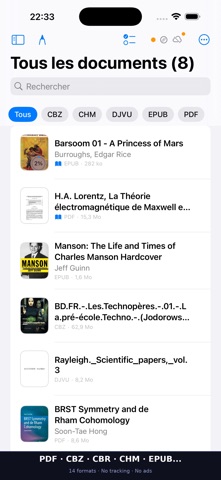
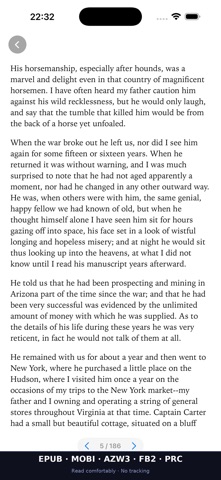
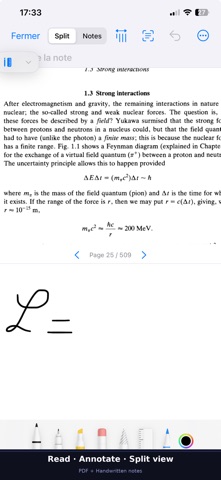
UniReader 1.10.0 UniReader opens what other apps refuse. PDF, EPUB, DjVu, CHM, MOBI, FB2, CBZ/CBR, DOC, DOCX, TXT, RTF, AZW3, PRC, LIT - 14 formats in one unified library. No more juggling between apps. --- READ WITHOUT FRICTION --- The real problem is not reading. It is everything that interrupts it: wrong format, awkward import, lost progress. UniReader exists to remove that friction. Open it, read, and pick up exactly where you left off. --- WHAT CHANGES EVERYTHING --- Absolute privacy Your documents stay on your device. No account required. No server. No tracking, no analytics, no data collection. What you read is your business alone. A real library Grid or list view, covers, folders, collections, integrated search. Filter by format, and import over your local network. Comfortable reading Day, Night, Sepia, and Paper themes; adjustable fonts and margins. Two-column EPUB, full-screen PDF, and it resumes exactly where you left off. Serious annotations Highlights, bookmarks, handwritten notes, PDF/PNG export. Optional cloud sync for reading progress and bookmarks. Catalogs and import OPDS (Gutenberg, Wikisource...), browser import on the same Wi‑Fi. Shortcuts and integrated system search. --- WHO IT IS FOR --- For anyone with hundreds of books in ten different formats who just wants to read them. For the person who annotates technical manuals in the morning and novels at night, and refuses to manage two separate apps. For researchers, students, and compulsive readers - anyone who reads seriously and wants a tool that keeps up. --- ACCESS --- Free plan DRM-free PDF and EPUB reading with essential library tools. Free forever - to explore, with no commitment. Premium All formats, cloud sync, advanced annotations, statistics about your reading, and sync with UniReader on your computer. 14 formats · OPDS · Local network import --- PRIVACY --- Your documents stay on your device. No tracking. No analytics. No data collection. UniReader is built to do one thing very well: to let you actually read. Less friction. More reading time. Terms of Use (EULA): https://www.apple.com/legal/internet-services/itunes/dev/stdeula/
What's new · 1.14.0
What's New 1.10.0 - Identify your books online: look a document up in Open Library and Crossref from its details, compare the proposals - cover, publisher, year, ISBN - and accept the right one. - The details sheet now carries ISBN, summary and language. - DjVu, CHM and MOBI open faster, the app is 45 MB lighter, and Microsoft Reader (LIT) books finally open. - A reading position coming from the desktop app is restored properly - it used to reopen the book at the first page. - DjVu: the page's text can now be selected as in a PDF - long-press a word, drag the handles, then copy, highlight or look it up. Zooming stays sharp and keeps its place. - Word, FB2 and MOBI books open with their chapters and their table of contents. - Fit to width now fills the screen edge to edge, dark pages no longer have a white band around them, and a text file reopens where you left it. - Fixed a crash when opening some malformed EPUB files.
Details