

ClipCut -Sports Highlight Tool
Aaron McDonald (AR) · Photo & Video
Independent analytics for this App Store listing. AppTracker is not affiliated with Aaron McDonald (AR).
Chart standing · US
What changed · US
Listing changes AppTracker has observed for this app in this storefront — new versions, price moves, rating shifts, and store copy.
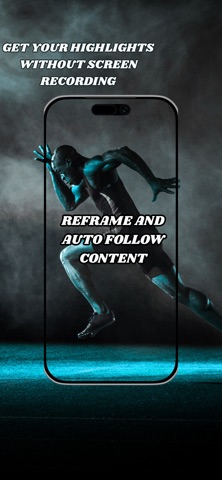
added manual reframe tracking. Simply hold down where to reframe and the app will automatically keep your position centered.
Ratings breakdown · US
The star breakdown behind this app's rating in this storefront.
Screenshots
About
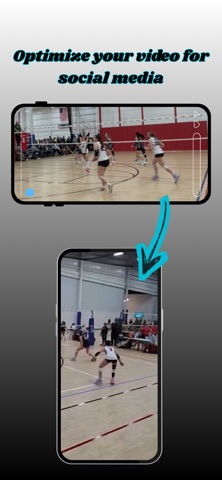
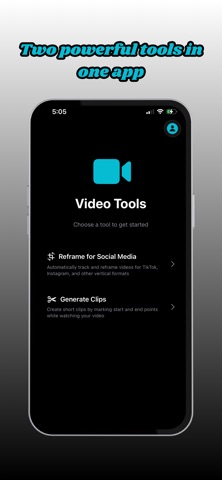
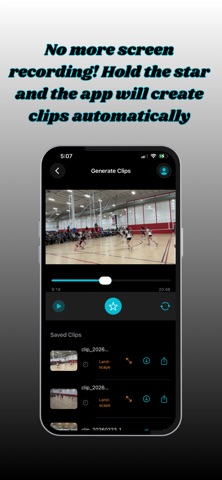
ClipCut makes it effortless to turn full‑length game footage into punchy, portrait‑ready highlights for TikTok, Instagram Reels, and YouTube Shorts. Whether you're a coach, athlete, or creator, ClipCut gives you two powerful tools in one clean workflow. ClipCut: Instant Highlights + Portrait Reframing for Social Media Premium subscription required for access. Feature 1: Clip Grabbing — No More Screen Recording Premium Feature — Requires Subscription Upload a full game or practice video and tap the Star button to instantly save a highlight. No scrubbing, no screen recording — just tap when the moment happens. Grab clips in real time or during playback Saves only the moment you want — no trimming Ideal for fast highlight capture during games or film review Feature 2: Portrait Reframing — Auto‑Follow Your Focus Premium Feature — Requires Subscription Transform any landscape clip into a smooth, vertical video that looks professionally filmed. Just tap the player or action you want to follow — ClipCut tracks it automatically. Works with any landscape video Tap to select your focus point Exports portrait videos with smooth auto‑tracking Ideal for TikTok, Reels, Shorts, and other vertical platforms Your subject stays centered like a dedicated cameraman is following the play. Why Creators Love ClipCut Fast workflow — grab and reframe in seconds No editing skills needed Social‑ready portrait output No screen recording required Built for sports: volleyball, basketball, soccer, and more By using this app, you agree to Apple’s Standard End User License Agreement: https://www.apple.com/legal/internet-services/itunes/dev/stdeula/
What's new · 1.1
added manual reframe tracking. Simply hold down where to reframe and the app will automatically keep your position centered.
Details