

PACE: Habit Tracker
ZUKAI SOKEN, K.K. · Productivity
Independent analytics for this App Store listing. AppTracker is not affiliated with ZUKAI SOKEN, K.K.
Chart standing · US
In-app purchases · US
No in-app purchases.
Screenshots



Keywords this app targets
Search terms AppTracker associates with this app — estimates, not search volume. ❝ = in the app's title; a highlighted number is its current position for that term.
Similar apps
Competitors and close alternatives, as estimated by AppTracker.
 Pace - Step Tracker
Torez Mitchell
Pace - Step Tracker
Torez Mitchell
 Simple Tracker: Goals
Michael Neal
Simple Tracker: Goals
Michael Neal
 Page Tracker: Reading & Study
Ryota Kando
Page Tracker: Reading & Study
Ryota Kando
 Habit: Daily routine tracker
bondavi Inc.
Habit: Daily routine tracker
bondavi Inc.
 PaceFit
SunRose Mobile Limited
PaceFit
SunRose Mobile Limited
 Pacer: Hourly Step Tracker
Aditya Gupta
Pacer: Hourly Step Tracker
Aditya Gupta
 Awesome Habits: Habit Tracker
Michal Tuma
Awesome Habits: Habit Tracker
Michal Tuma
 つづくToDo 習慣化・タスク管理・ルーティン記録
Daisuke Yamaguchi
つづくToDo 習慣化・タスク管理・ルーティン記録
Daisuke Yamaguchi
About
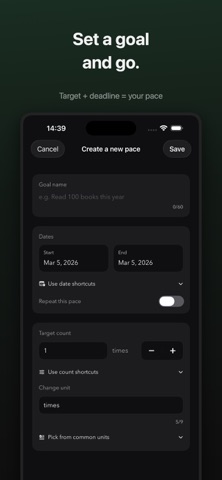
#1 Paid Productivity App in Japan (Feb 2026). You want to keep moving, but some days it's hard to know what "enough for today" looks like. PACE shows what's left, how many days remain, and your current pace together — so your next step becomes clear without overthinking. No account. No cloud. Your data stays on-device. Create a goal (count + deadline), then tap + when you make progress. PACE updates everything together and shows your pace status: Fast, Ahead, On pace, Slow, or Behind. 5 levels from ahead to behind help you understand where you are: - Fast: Well ahead of target pace. You can ease up. - Ahead: Slightly ahead. Keep it comfortable. - On pace: Best range. This is your target pace. - Slow: Slightly behind. A small push helps. - Behind: Behind pace. Catch up in small steps. Key features: - Home Screen widgets (small, medium, large) — check pace and log progress without opening the app - Goal setup (deadline, target count, unit) - Quick + logging from Home/Detail - Edit and delete history (date and note) - Weekly / monthly / yearly recurring goals - CSV export - Clear completed / missed result - Japanese / English and Light / Dark support Great for: - Reading & study (e.g. Read 100 books this year) - Fitness & habits (e.g. Run 20 times this month) - Work & preparation (e.g. 200 problems before the exam) No sign-up needed. No tracking. Your data stays on your device. PACE is built to help you continue with ease and still stay on track.
What's new · 1.3
- Pace calculation fix: "N left" now correctly includes today in the count - Batch recording: Long-press the record button to enter a quantity and log multiple records at once. Direct number input supported - History improvements: Batch records show a "+N" badge and can be deleted or edited as a group - CSV export improvements: Batch records are combined into a single row with both quantity and cumulative columns - Feedback: Send feature requests or bug reports via email from Settings - Design consistency: Unified colors, fonts, spacing, and corner radii across all screens
Details