

CrossDrop: Camera & File Share
Vladislav Alikov · Utilities
Independent analytics for this App Store listing. AppTracker is not affiliated with Vladislav Alikov.
Chart standing · US
In-app purchases · US
What this app sells inside itself, grouped by kind and priced for this storefront.
Screenshots




About
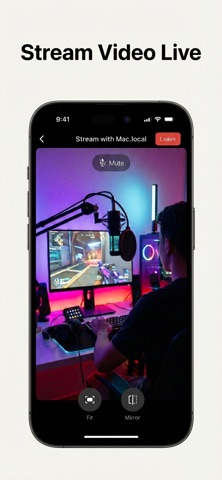
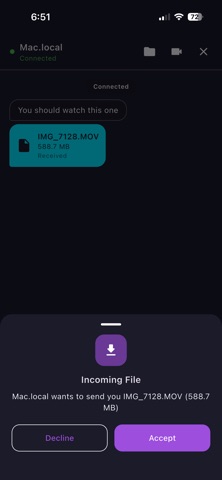
CrossDrop is the ultimate peer-to-peer connection app designed to let you share files, chat, and stream live video between devices on your local network — with absolutely zero internet or cloud dependency. Whether you're sending large documents to a colleague, moving photos to your computer, or streaming your mobile camera to a tablet, CrossDrop makes it instant and secure. Because everything happens locally over your WiFi network, there are no file size limits and speeds are incredibly fast. Key Features: • Instant Auto-Discovery: Devices find each other automatically on your network. No IP addresses to type (unless you want to!). • Cross-Platform Sharing: Send files of any size between phones, tablets, and computers instantly. • Video Streaming: Stream your device's camera live to another screen over WebRTC. • Local Chat: Send instant, secure messages directly between connected devices. • QR Connect: Simply point your camera at a peer's QR code to link up instantly. • Multiple Themes: Customize your experience with 6 beautiful themes (including Dark, Neon, and Coffee). No cables. No internet required. Just launch CrossDrop and connect.
What's new · 1.4
— Added a lightning-fast Web Client! You can now connect to CrossDrop from any web browser to chat, transfer large files, and watch remote camera streams without installing the app.
Details