

HTML Viewer : Editor & Creator
Hardik Khanesa · Developer Tools
Independent analytics for this App Store listing. AppTracker is not affiliated with Hardik Khanesa.
Chart standing · US
What changed · US
Listing changes AppTracker has observed for this app in this storefront — new versions, price moves, rating shifts, and store copy.
- Free Learn courses for HTML, CSS, and JavaScript with quizzes, challenges, and certificates - Daily streaks and reminders to keep you learning - Home Screen and Lock Screen widgets for projects, quick actions, websites, and servers - Siri and Shortcuts to open projects, files, and websites hands-free - Plain FTP support, plus server projects right in My Projects - Rename any project, including server projects - New Home tab bar with project tags, sorting, and filters - One-tap full-screen run and per-project network rules - Faster preview that opens instantly - Open a copied link straight from the Open URL screen - Games-first template picker with a Start from scratch card - New yearly plan with a free trial, plus student pricing - Bug fixes and better performance
Price & rating history · US
Reconstructed from the listing changes AppTracker has observed in this storefront. A field is charted once it has changed more than once, and each line starts at the value it moved from.
Average rating · ★ 4.49 now · 33 changes on record
Ratings breakdown · US
The star breakdown behind this app's rating in this storefront.
In-app purchases · US
What this app sells inside itself, grouped by kind and priced for this storefront.
Screenshots


Keywords this app targets
Search terms AppTracker associates with this app — estimates, not search volume. ❝ = in the app's title; a highlighted number is its current position for that term.
Similar apps
Competitors and close alternatives, as estimated by AppTracker.
 Html editor: html viewer
Sasikumar Chhotelal Das
3 shared topics · 3 shared title words
Html editor: html viewer
Sasikumar Chhotelal Das
3 shared topics · 3 shared title words
 Html Editor Plus
Heng Jia Liang
2 shared topics · 2 shared title words
Html Editor Plus
Heng Jia Liang
2 shared topics · 2 shared title words
 HTMLSuite
Tony Ashton
2 shared topics
HTMLSuite
Tony Ashton
2 shared topics
 Codex: HTML Editor
MD UZZAL MIA
2 shared topics · 2 shared title words
Codex: HTML Editor
MD UZZAL MIA
2 shared topics · 2 shared title words
 HTML Viewer ++
HurryApp LTD
1 shared topic · 2 shared title words
HTML Viewer ++
HurryApp LTD
1 shared topic · 2 shared title words
 Code Editor – HTML & Preview
cherish each co ltd.
2 shared topics · 2 shared title words
Code Editor – HTML & Preview
cherish each co ltd.
2 shared topics · 2 shared title words
 HTML Editor
Intrepid
2 shared topics · 2 shared title words
HTML Editor
Intrepid
2 shared topics · 2 shared title words
 HTML Runner: Live Preview
家贺 万
1 shared topic · 1 shared title word
HTML Runner: Live Preview
家贺 万
1 shared topic · 1 shared title word
About
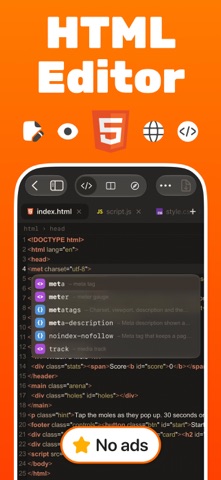
The HTML viewer and editor for iPhone and iPad. Open, write, preview and debug HTML, CSS and JavaScript. Free to start, with an optional Pro upgrade. See your page update live as you type, test it on phone and tablet sizes, then fix problems with built-in DevTools and one-tap tools. No computer needed. FREE FOR EVERYONE • Code editor with syntax highlighting, line numbers, find & replace and auto indent • Live preview of your page • 3 projects, plus any file you open from Files or share from another app • 6 editor themes (light and dark) and 10 fonts • 20+ everyday tools: format code, find syntax problems, color picker, contrast checker, QR codes, regex tester and more • Starter templates to begin from • Learn: a free step-by-step HTML, CSS and JavaScript course with quizzes, practice and a certificate • No ads GO PRO FOR THE FULL TOOLKIT • Unlimited projects and unlimited open tabs • Split view: code and preview side by side • Device frames: iPhone, iPad and desktop sizes with a live status bar • Smarter autocomplete for tags, classes, CSS properties and file paths, plus the full symbol row • 50+ tools: SEO, accessibility and performance audits with one-tap fixes, Color Studio, Image Studio with background removal • Export as ZIP, PDF or a single file, and share your projects • 80+ ready-made templates, all with light and dark themes • Open on another device over Wi-Fi with a QR code • All themes and fonts, and alternate app icons BUILT FOR REAL WORK • Console, Network, Elements and Storage inspector for your page or any live website • Open URL: load any website, view its source and save it as a project • Connect to a server over SFTP or FTP and edit files directly • Preview Markdown and JSON as well as HTML • Home Screen widgets and Siri shortcuts • Archive keeps deleted files for 30 days • Available in 32 languages WHO IT'S FOR Students learning to code, web designers, and developers who want to fix a page away from their desk. PRO PLANS Choose monthly, yearly or a one-time lifetime purchase. A free trial may be available on subscriptions for new subscribers. Subscriptions renew automatically unless cancelled at least 24 hours before the end of the current period. Manage or cancel anytime in your Apple ID settings. Payment is charged to your Apple ID at confirmation of purchase. Lifetime is a single payment with no renewal. Terms of Use: https://www.apple.com/legal/internet-services/itunes/dev/stdeula/ Privacy Policy: https://attractive-basket-ce6.notion.site/Privacy-Policy-Html-Editor-30d5cd442d3280b49b72e9a2436c853e
What's new · 2.0.1
- Free Learn courses for HTML, CSS, and JavaScript with quizzes, challenges, and certificates - Daily streaks and reminders to keep you learning - Home Screen and Lock Screen widgets for projects, quick actions, websites, and servers - Siri and Shortcuts to open projects, files, and websites hands-free - Plain FTP support, plus server projects right in My Projects - Rename any project, including server projects - New Home tab bar with project tags, sorting, and filters - One-tap full-screen run and per-project network rules - Faster preview that opens instantly - Open a copied link straight from the Open URL screen - Games-first template picker with a Start from scratch card - New yearly plan with a free trial, plus student pricing - Bug fixes and better performance
Details