

ArtBuddy: Learn to paint
Justinus Laurentius van den Berg · Graphics & Design
Independent analytics for this App Store listing. AppTracker is not affiliated with Justinus Laurentius van den Berg.
Chart standing · US
Screenshots


About
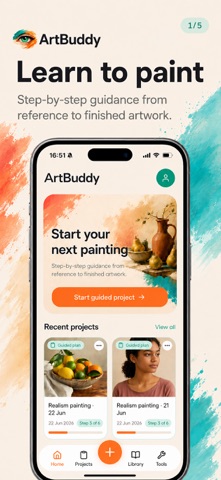
ArtBuddy helps painters work more accurately from a reference image with a step-by-step guided plan that takes you from setup to your final color layers. Follow each stage at your own pace, right from your phone. As you paint, you also learn to see shape, light, and color more clearly. Guided plan: a clear path through your painting • Set up the projector and trace your sketch onto the canvas • Build depth with light and dark values • Block in your first color layer, then refine layer by layer • Celebrate your progress when you’re done Tools: use them inside the plan, or on their own • Projector: project your reference onto your canvas (camera required) • Color Palette: AI-assisted suggestions for mixing colors (acrylic or oil) • Values & contrast: see where light and dark areas appear in the image • Proportions: check whether shapes and distances match the reference
What's new · v2.0.0
ArtBuddy now guides you through your painting from start to finish. Start a guided project and work through each stage at your own pace: set up the projector, trace your sketch, build depth with values, block in your first colors, and refine layer by layer. Prefer to work freely? Every tool is still available on its own — the guided plan is there when you want structure, not when you don’t.
Details