

Street View: Maps for Google
JESSE DAVID ARMSTRONG · Navigation
Independent analytics for this App Store listing. AppTracker is not affiliated with JESSE DAVID ARMSTRONG.
Chart standing · US
What changed · US
Listing changes AppTracker has observed for this app in this storefront — new versions, price moves, rating shifts, and store copy.
This version brings small but useful updates to the virtual tour flow. We also refined offline mode and improved overall reliability.
Price & rating history · US
Reconstructed from the listing changes AppTracker has observed in this storefront. A field is charted once it has changed more than once, and each line starts at the value it moved from.
Average rating · ★ 4.33 now · 3 changes on record
Ratings breakdown · US
The star breakdown behind this app's rating in this storefront.
In-app purchases · US
What this app sells inside itself, grouped by kind and priced for this storefront.
Screenshots




About
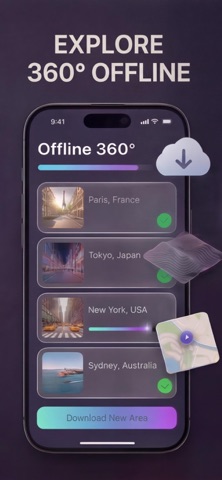
Street View: Maps for Google is an exploration and navigation app for iPhone and iPad users who want to do more than just get directions — see where they are going before they arrive, understand what surrounds them, and travel anywhere in the world without leaving the room. WHEN YOU PLAN A TRIP OR MOVE Open Street View and walk the neighborhood before you book. Check the street, the block, the entrance. See what the area actually looks like at ground level — not just a pin on a flat map. Use 360-degree panoramic views to explore your destination the way a local would. WHAT'S INSIDE 360-Degree Street View — immersive panoramic views of streets, landmarks, and places around the world Live Maps GPS — real-time positioning, directions, and nearby points of interest Virtual Tours — explore famous locations and remote destinations from anywhere Smart Vision and Translation — point your camera to identify places and translate text instantly Time Travel — browse historical imagery to see how a location has changed over time 360 Offline Mode — download street views and maps for access without an internet connection DISCLAIMER This is an independent app, not affiliated with, endorsed by, or sponsored by Google LLC or any of its services, including Google Maps or Google Street View. All brand names, trademarks and copyrights belong to their respective owners. This app uses publicly available map and imagery data. Please note: There are no free features available; a subscription is required to access all content and tools.The renewal cost depends on the subscription plan. Our standard subscription plans: Exclusive Access - 7 days - Subscription will auto-renew unless auto-renew is turned off at least 24 hours before the end of the current period - Subscription with a free trial period automatically renews to a paid subscription. You can cancel or manage the automatic renewal of the free trial by going to your Account Settings after the purchase Important! There is no free features inside! You must be subscribed to access the app’s content and features Payment is charged upon confirmation of the purchase of the subscription. For other currencies, the price matches the price level in the App Store Price Matrix - Please note: Any unused portion of the three-day free trial period (if offered) will be forfeited when purchasing a premium subscription during the free trial period - For any other information, see our privacy policy and terms of use Privacy Policy: https://docs.google.com/document/d/1RWPLpmg3LbCB-9ma7FE-Tz66j1TJmYrdUt6YfTCYS1w/edit?usp=sharing Terms of Use: https://docs.google.com/document/d/16HrDMVsYHPeT9Mo_Z5Rn-Ujo5TMc0ehX-87xQsiLfFs/edit?usp=sharing
What's new · 2.0.4
This version brings small but useful updates to the virtual tour flow. We also refined offline mode and improved overall reliability.
Details