
Chart standing · US
Screenshots


About
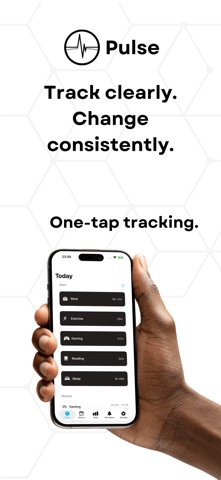
Pulse helps you track time by activity: work, exercise, reading, or anything else, so you see where your time really goes. • Track with one tap Create activities with custom names and icons. Start and stop timers from the Today screen or from reminders. When you stop a timer you can quickly add notes to it. • See time at a glance with Live Activities When a timer is running, it appears on your Lock Screen, with the activity name and live elapsed time, so you can stay focused without opening the app. Tap to jump straight back in. • Understand your patterns History shows your entries by day. Stats break down totals by period and by activity, with progress and percentages. Use the "project-time" feature to see hypothetical totals for the next month or year based on your recent averages. • Reminders that act Set recurring reminders by weekday and optional long-run nudges per activity. Notifications can start or stop tracking with a single tap. • Designed for clarity Clean layout, subtle animations, and support for light and dark appearance. Export your data as CSV (Pro) with date range and activity filters. Start with up to five activities, three reminders and a 14-day-history for free; remove limits with Pulse Pro.
What's new · 1.3.0
• Added onboarding/tutorial for new users • Stability improvements • Localization updates (german) • UI improvements (especially for dark mode)
Details