

Web DevTools+
Christian Oliff · Developer Tools
Independent analytics for this App Store listing. AppTracker is not affiliated with Christian Oliff.
Chart standing · US
What changed · US
Listing changes AppTracker has observed for this app in this storefront — new versions, price moves, rating shifts, and store copy.
- Start screen UX improvements. - Design improvements. - Improved keyboard support. - Improved voiceover support. - Improved color contrast. - Accessibility test improvements. - Improved startup performance. - Many bug fixes.
Ratings breakdown · US
The star breakdown behind this app's rating in this storefront.
In-app purchases · US
No in-app purchases.
Screenshots



About
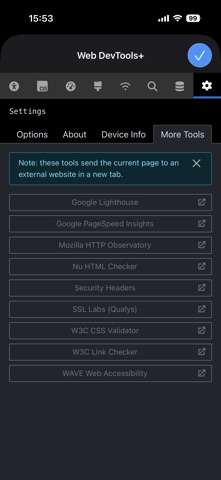
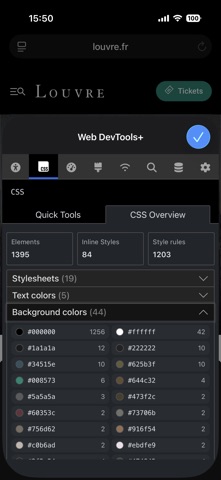
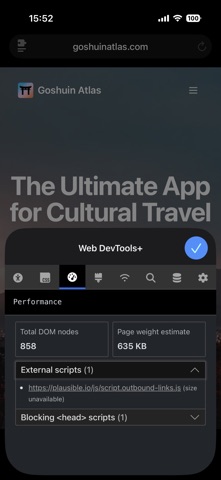
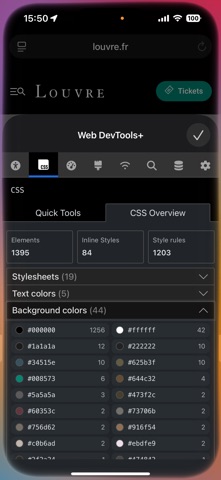
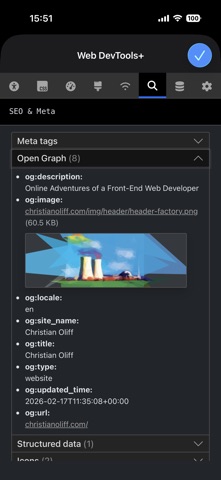
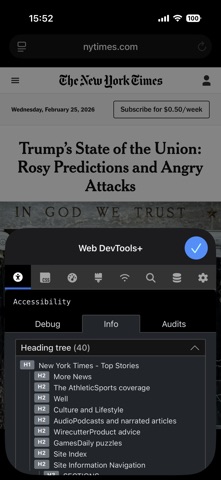
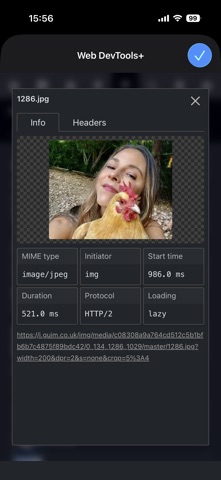
- Elements: A powerful syntax-highlighted DOM inspector and editor allows you to edit any page. - CSS Quick tools: Disabled CSS, background images, outline overflow issues, z-index and more - CSS Overview: Get a detailed look into the CSS on the page, stylesheets, colors, fonts and media queries - Rendering Tests: Emulate vision deficiencies such as color blindness, blurred version. Hide images to evaluate structure and fallback UX. Disabled modern image file formats such as AVIF and JPEG XL to test fallback UX for other/older browsers - Media query tests: Emulate how the page looks with print styles, prefers color-scheme, and prefers-contrast media queries. - Network - View all the assets on a page, tap on one to see info such as MIME-type, file-size, transfer times, Source allows you to see code for text-based assets with syntax highlighting, copy to clipboard and format options - SEO & meta: See meta tags such as title, descriptions, icons, Open Graph tags including previews of the images - Storage: with options to view or delete cookies, localStorage and Session storage and a detailed Web Manifest viewer. - Detailed Device Info panel with UserAgent, display and screen resolution, network speeds, connection type, ISP and more. - Accessibility audits, info and debug tools (ARIA inspect and img alt inspect). - Tools: one-tap quick audits from 8 popular, free services (Lighthouse, HTTP Observatory, SSL Labs, Wave Web Accessibility etc). No need to login or register, it'll open a new tab with your audit right there!
What's new · 1.5.0
- Start screen UX improvements. - Design improvements. - Improved keyboard support. - Improved voiceover support. - Improved color contrast. - Accessibility test improvements. - Improved startup performance. - Many bug fixes.
Details