

GIF Maker - Batch Video to GIF
Jinwoo Lee · Photo & Video
Independent analytics for this App Store listing. AppTracker is not affiliated with Jinwoo Lee.
Chart standing · US
What changed · US
Listing changes AppTracker has observed for this app in this storefront — new versions, price moves, rating shifts, and store copy.
[New Features] - Home announcements: View announcements and update news on the Home screen and open the related screen. [Improvements] - Cutout: Play videos and seek through them while editing, and continue refining the selection with the brush and eraser after applying the effect. The effect stays applied when you close the tool, and you can view processing progress or cancel. - Editing screen: Made the position and spacing of the divider below the top thumbnails consistent. [Bug Fixes] - Photo mosaic: Fixed an issue where circular mosaics appeared smaller than the selected area in portrait and landscape photos.
In-app purchases · US
What this app sells inside itself, grouped by kind and priced for this storefront.
Screenshots


About
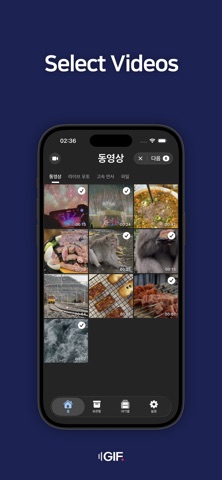
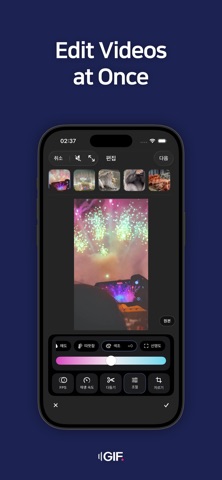
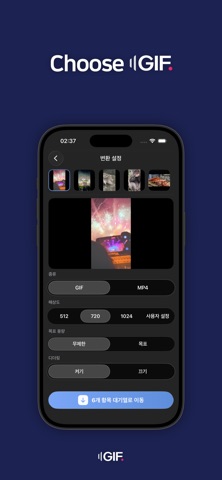
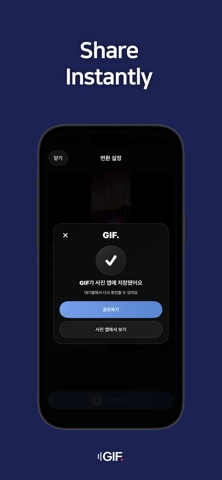
With GIFdot, you can convert GIFs easily and all at once. Enjoy high-quality conversion that anyone can use quickly and easily. [Features] - Import, edit, and convert multiple videos at once. - Decorate your videos with a variety of editing tools. - Use editing features such as mosaic, drawing, stickers, and more. - Instantly share your converted GIFs with friends. - Check your converted videos anytime in the Library. - Reduce the file size of your GIFs. [Subscription Information] - Payment will be charged to your Apple Account upon confirmation of purchase or after the free trial period ends. - The subscription automatically renews and charges will apply unless auto-renewal is turned off at least 24 hours before the end of the subscription period. - You can manage your subscription and turn off auto-renewal in Settings > App Store > Apple ID > View Apple ID > Subscriptions. [Terms of Use] https://www.apple.com/legal/internet-services/itunes/dev/stdeula/ [Privacy Policy] https://dongtimorrr.github.io/Privacy-Policy/privacy.html
What's new · 1.18.0
[New Features] - Home announcements: View announcements and update news on the Home screen and open the related screen. [Improvements] - Cutout: Play videos and seek through them while editing, and continue refining the selection with the brush and eraser after applying the effect. The effect stays applied when you close the tool, and you can view processing progress or cancel. - Editing screen: Made the position and spacing of the divider below the top thumbnails consistent. [Bug Fixes] - Photo mosaic: Fixed an issue where circular mosaics appeared smaller than the selected area in portrait and landscape photos.
Details