

Compress PDF Files — TinyPDF
Nikolay Strikhar · Utilities
Independent analytics for this App Store listing. AppTracker is not affiliated with Nikolay Strikhar.
Chart standing · US
What changed · US
Listing changes AppTracker has observed for this app in this storefront — new versions, price moves, rating shifts, and store copy.
TinyPDF Pro is now a one-time purchase. Pay once, compress as many PDFs as you like, no subscription.
Ratings breakdown · US
The star breakdown behind this app's rating in this storefront.
In-app purchases · US
What this app sells inside itself, grouped by kind and priced for this storefront.
Screenshots


About
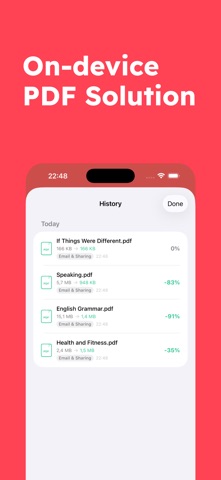
Shrink your PDFs in seconds — right on your iPhone. TinyPDF makes it effortless to reduce PDF file sizes without the hassle of uploading to sketchy websites. Everything happens on your device, so your documents stay private. Three compression levels for every situation: • Email & Sharing — Maximum compression for the smallest possible file size. Perfect for email attachments and messaging. • Good for Most Uses — The sweet spot between quality and file size. Great for everyday documents. • High Quality — Keeps images crisp while still reducing file size. Ideal for presentations and reports. Batch compress multiple files at once. Select several PDFs and compress them all in one go. Track real-time progress for each file as it's processed. Smart compression that never makes things worse. If a file is already well-optimized, TinyPDF detects that and leaves it untouched, your files will never end up larger than they started. Compress from anywhere with the Share Extension. Open a PDF in Mail, Safari, Files, or any app — tap Share, choose TinyPDF, pick your quality level, and you're done. Full compression history. Every compression is saved so you can go back, preview, and re-share files whenever you need them. Swipe to delete entries you no longer need. You're in control of your storage. Set compressed files to auto-delete after 7, 30, or 90 days — or keep them forever. Your choice. Why TinyPDF? • 100% on-device processing — your files never leave your phone • Batch processing for multiple PDFs • Built-in PDF preview • Native iOS Share Sheet integration • Share Extension for compressing from any app • Clean, intuitive interface • No account required Shrink it. Share it. Done. Terms of Use: https://www.apple.com/legal/internet-services/itunes/dev/stdeula/ Privacy Policy: https://ivorytarot.com/privacy-policy/
What's new · 1.2.0
TinyPDF Pro is now a one-time purchase. Pay once, compress as many PDFs as you like, no subscription.
Details