

Photos to PDF: Easy Layout
Osawa Shunsuke · Business
Independent analytics for this App Store listing. AppTracker is not affiliated with Osawa Shunsuke.
Chart standing · US
What changed · US
Listing changes AppTracker has observed for this app in this storefront — new versions, price moves, rating shifts, and store copy.
Your PDFs are now available in the Files app. • PDFs you create appear in the Files app under On My iPhone, so you can attach them from other apps or move them to iCloud Drive. • Delete, rename, or move a PDF in the Files app and the list in the app updates automatically. • Open a PDF from Mail or Messages with this app to add it to your list, then merge it or reorder its pages. • The Receipts preset now matches common guidelines for digital receipt archiving (200 dpi or more, full color). You can check this on the settings screen. • Standard quality is now 200 dpi, so text in documents stays sharper. • Bug fixes and improvements.
In-app purchases · US
What this app sells inside itself, grouped by kind and priced for this storefront.
Screenshots



About
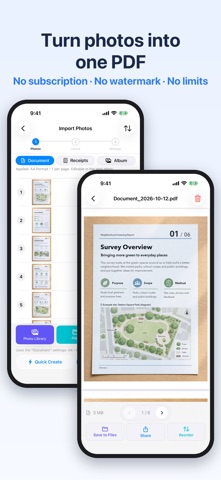
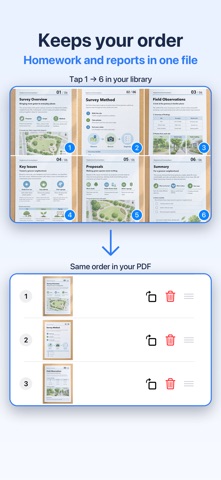
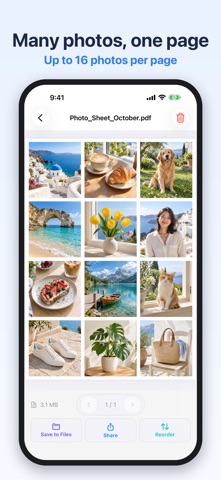
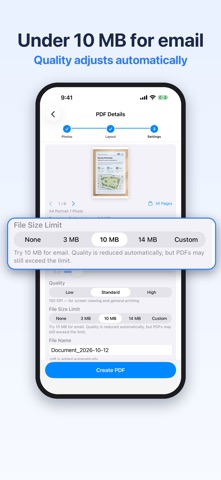
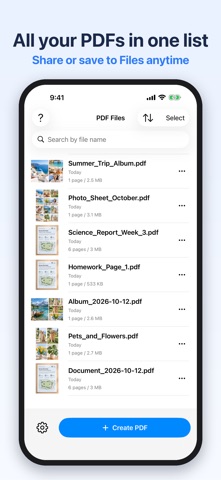
Photos to PDF turns the photos, receipts and document shots on your iPhone into one PDF, in the order you picked. Convert multiple photos to a single PDF, keep receipts four to a page, or turn a photo of your notes or a whiteboard into an A4 or Letter document, all in a few taps. Basic features are free, with no photo limit and no watermark. Pro is a one-time purchase, not a subscription. Everything runs on your device: your photos are never uploaded, and no account is required. Use it for - Combining receipts and invoices into one PDF for tax filing or expense reports - Sending homework or Google Classroom assignments as a single PDF - Password-protecting a résumé, cover letter or application form before emailing it - Turning notes, whiteboards and handouts into tidy documents - Making a printable album from trip or fan photos (3.5x5", 5x7" and more) - Keeping a PDF under the size limit of an email attachment or an upload form Key features - Import from Photos, Files, or the camera (document scanner with auto edge detection and multi-page capture) - Order preserved as selected; sort by date taken, name, or reverse - Presets (Document / Receipts / Album) and "Create now" to skip the settings - Paper sizes: A3, A4, A5, A6, B4, B5, Letter, Legal, 3.5x5", 5x7", postcard - Layouts: 1 to 16 images per page (2-in-1, 4-in-1, 9-in-1, hero + 3, 20 layouts in total; 4 or more per page requires Pro) - Margins (None / Narrow / Wide / Custom), Fit or Fill - Quality (Light / Standard 200 dpi / High 300 dpi) with an estimated file size before you create - Crop, rotate, grayscale and black-and-white filters - Page numbers, password protection, custom file names - Manage created PDFs, share, save to Files - PDFs also appear in the Files app under On My iPhone; deleting, renaming or moving them there updates the list automatically - Open PDFs from Mail, Messages or other apps with this app to add them to your list, then merge or reorder pages - Merge PDFs and reorder pages Free vs. Pro Free: unlimited photos, no watermark. Layouts with 1 to 3 images per page, standard quality (200 dpi), password protection, document scanning, sharing and saving. Shows a banner ad and an occasional full-screen ad after creating PDFs. Pro (one-time purchase): buy once, keep forever. High quality (300 dpi), layouts with 4 or more images (up to 16), merge and reorder pages, fine margin control, file size limit (3 / 10 / 14 MB / custom), search and sort, no ads. FAQ Q. How many photos can I convert for free? A. There is no limit. Create as many PDFs as you like, with as many photos as you like. Q. Is there a watermark? A. No. Neither the free version nor Pro adds a watermark. Q. What order will the pages be in? A. The order you selected the photos in. You can also sort by date taken, name, or reverse the order. Q. Which image formats are supported? A. JPEG, PNG, HEIC, WebP and other formats your iPhone can display. Q. Where are my PDFs saved? A. In the app's list and in the Files app under On My iPhone, in the app's folder. From there you can move them to iCloud Drive or attach them in other apps. Q. How do I make the PDF smaller? A. Choose Light quality or put more images on each page. With Pro, set a size limit (3 / 10 / 14 MB or custom) and the quality is adjusted automatically to fit. Q. Can I use it to archive receipts digitally? A. The Receipts preset is matched to common guidelines for digital receipt archiving (200 dpi or more, 256 levels per RGB channel). You can check this on the settings screen. Requirements iPhone with iOS 18 or later. Available in English, Japanese, Chinese (Simplified / Traditional), Korean, French, German, Italian, Spanish, Portuguese, Thai and Malay.
What's new · 2.2
Your PDFs are now available in the Files app. • PDFs you create appear in the Files app under On My iPhone, so you can attach them from other apps or move them to iCloud Drive. • Delete, rename, or move a PDF in the Files app and the list in the app updates automatically. • Open a PDF from Mail or Messages with this app to add it to your list, then merge it or reorder its pages. • The Receipts preset now matches common guidelines for digital receipt archiving (200 dpi or more, full color). You can check this on the settings screen. • Standard quality is now 200 dpi, so text in documents stays sharper. • Bug fixes and improvements.
Details