

Meeting Room 365 Display
Meeting Room 365 llc · Business
Independent analytics for this App Store listing. AppTracker is not affiliated with Meeting Room 365 llc.
Chart standing · US
Screenshots


About
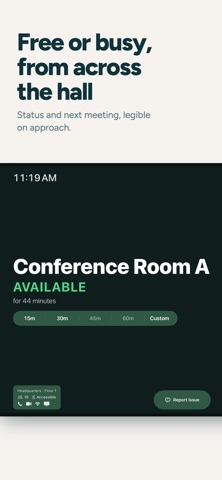
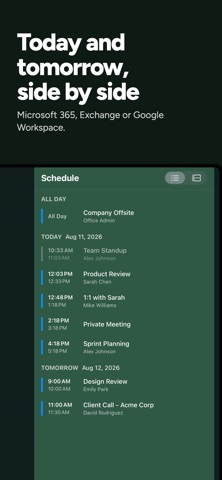
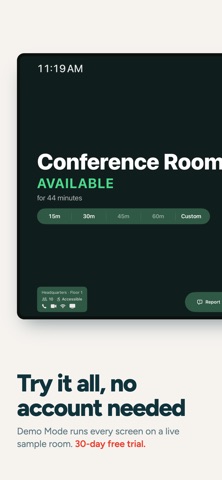
Meeting Room 365 Display is a ground-up native rebuild of the fastest way to add a meeting room display to your office. Same account, same web dashboard, same one-tap booking — rewritten as a fully native app. It launches straight to your schedule, keeps working when the network drops, and holds up under what a room display actually has to do: stay awake on a wall, in front of everyone, for months at a time. Supports Microsoft 365™ (formerly Office 365™), Outlook™, Google Workspace™, and Exchange™. WHAT THE NATIVE APP ADDS • Launches directly to your schedule — no web view, no loading screen • Keeps showing today's meetings when Wi-Fi drops, then reconciles automatically • Sign in with Microsoft Entra ID or Google Workspace directly on the device • Zero-touch deployment through MDM managed app configuration • Booking, check-in, end early, and extend, all handled on-device • Room Finder with live availability across your building • Configurable action bar — choose which controls appear on the display • Guided Access kiosk locking, brightness scheduling, and orientation control EVERYTHING YOU EXPECT FROM MEETING ROOM 365 • Find an available room for a meeting, and book with a single tap • All settings can be managed remotely, with device statuses & reporting • Let users report room issues or make custom requests from the tablet • Connects to IFTTT for presence detection and hardware integration • Complete theming & style customization available online • Automatically cancel meetings if nobody shows up • Automatically prevents double booking • Always in-sync with your calendar system • Create unlimited meeting room displays • Works with your existing email tenant • Works great in Portrait or Landscape • Compatible with most MDM software • Localizable and Translatable • Fast & Easy to setup WHICH APP SHOULD I INSTALL? • New displays on current iPads — this app. • Existing deployments, or older iPads — install Meeting Room 365 Classic. Both apps use the same Meeting Room 365 account and the same web dashboard. Visit our website for more details, and to create a Meeting Room 365 account.
Details