

Nottana Password Manager
Nottana LLC · Productivity
Independent analytics for this App Store listing. AppTracker is not affiliated with Nottana LLC.
Chart standing · US
What changed · US
Listing changes AppTracker has observed for this app in this storefront — new versions, price moves, rating shifts, and store copy.
This release is all about AutoFill, the Nottana keyboard suggestion you use to fill passwords inside other apps. The main app is unchanged. • AutoFill sign-in works again. When AutoFill asked you to sign in, a correct password was being refused. • Your master password stays on your device when you sign in to AutoFill. If a sign-in is refused, Nottana sends a value derived from your password rather than the password itself. • AutoFill's two-factor screen fits above the number pad. The "wrong code" message was hidden behind the keypad, so entering the wrong digits gave you no feedback at all. • Two-factor codes in AutoFill are six boxes, like the web app. You can paste a code, or tap the one iOS suggests above the keyboard. • AutoFill's sign-in screen moves with the keyboard, so "Use Face ID" and the error text stay on screen.
Ratings breakdown · US
The star breakdown behind this app's rating in this storefront.
In-app purchases · US
What this app sells inside itself, grouped by kind and priced for this storefront.
Screenshots


About
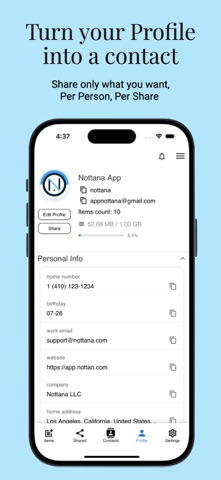
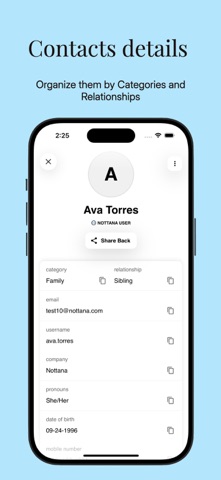
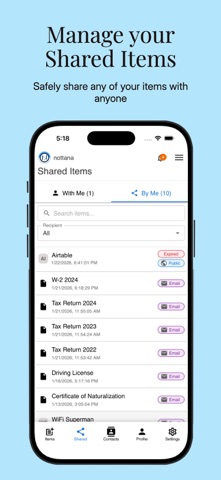
At Nottana, we believe privacy is a human right, not a privilege. Our decentralized storage data management platform empowers individuals to store passwords, contacts, and personal information securely, without reliance on centralized servers or corporations. Through encryption, distributed infrastructure, and self-sovereign identity design, Nottana ensures users remain in control of their data. As digital trust becomes the new global currency, we’re pioneering solutions that put people, not platforms, at the center of their digital privacy. Take control of your digital life with Nottana. Experience data ownership and privacy in a world where your information belongs to you and not corporations. Key features: * End-to-end encrypted vault * Password & Passkey AutoFill provider * Built-in Two-Factor Authentication (2FA) * Password generator * Secure notes & file storage * Credit card & document scanning * Cross-platform sync * Secure password sharing * Contact management & profile sharing Built for privacy, designed for speed, and always under your control. Free trial available; subscription required after trial. Privacy Policy: https://app.nottana.com/privacy-policy Terms of Use (EULA): https://app.nottana.com/terms-of-service
What's new · 2.1.2
This release is all about AutoFill, the Nottana keyboard suggestion you use to fill passwords inside other apps. The main app is unchanged. • AutoFill sign-in works again. When AutoFill asked you to sign in, a correct password was being refused. • Your master password stays on your device when you sign in to AutoFill. If a sign-in is refused, Nottana sends a value derived from your password rather than the password itself. • AutoFill's two-factor screen fits above the number pad. The "wrong code" message was hidden behind the keypad, so entering the wrong digits gave you no feedback at all. • Two-factor codes in AutoFill are six boxes, like the web app. You can paste a code, or tap the one iOS suggests above the keyboard. • AutoFill's sign-in screen moves with the keyboard, so "Use Face ID" and the error text stay on screen.
Details