

Dash for Tesla
豪 陈 · Utilities
Independent analytics for this App Store listing. AppTracker is not affiliated with 豪 陈.
Chart standing · US
What changed · US
Listing changes AppTracker has observed for this app in this storefront — new versions, price moves, rating shifts, and store copy.
Modified Watchface Switching Logic: Improved the operation and response mechanism for switching watch faces, making transitions smoother and more intuitive. Removed Third-Party Module Data Sources: Removed obsolete third-party module data sources to enhance data loading stability and security. Optimized Bluetooth Request Strategy: Adjusted the request strategy for Bluetooth connection and data transmission, effectively reducing latency and improving connection stability. Brand New Classic Watchface: Introduced a newly redesigned classic watchface that combines retro aesthetics with modern display needs. Optimized Landscape and Large Screen Experience: Adapted the interface for landscape orientation and large-screen devices, resulting in a more reasonable layout and convenient operation. Bug Fixes and Experience Optimization: Fixed several known issues and polished multiple interaction details for an overall smoother experience.
Ratings breakdown · US
The star breakdown behind this app's rating in this storefront.
In-app purchases · US
What this app sells inside itself, grouped by kind and priced for this storefront.
Screenshots





Keywords this app targets
Search terms AppTracker associates with this app — estimates, not search volume. ❝ = in the app's title; a highlighted number is its current position for that term.
Similar apps
Competitors and close alternatives, as estimated by AppTracker.
 Dashla: Wireless Dashboard
Thirty Two Tech, Inc.
Dashla: Wireless Dashboard
Thirty Two Tech, Inc.
 Tespit Vehicle Dashboard
Esat Arslan
Tespit Vehicle Dashboard
Esat Arslan
 DriveDash: Car Dashboard
GREEN FOKUS DOO
DriveDash: Car Dashboard
GREEN FOKUS DOO
 Remote for Tesla
Rego Apps
1 shared title word
Remote for Tesla
Rego Apps
1 shared title word
 Tessie
 Technology LLC
1 shared topic
Tessie
Tessie Technology LLC
1 shared topic
 Drive Log for Tesla - TSLogger
Fumihiro Kawasaki
Drive Log for Tesla - TSLogger
Fumihiro Kawasaki
 Charger Map for Tesla
yohan teixeira
1 shared title word
Charger Map for Tesla
yohan teixeira
1 shared title word
 TesoroBoard
迪 孙
TesoroBoard
迪 孙
About
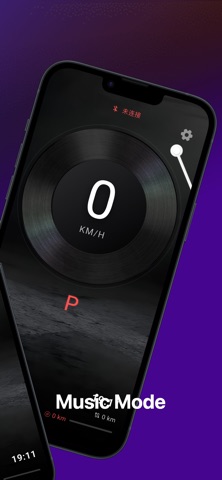
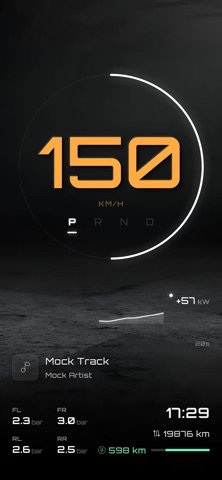
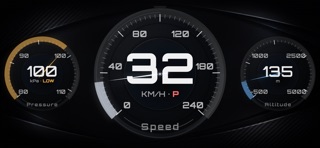
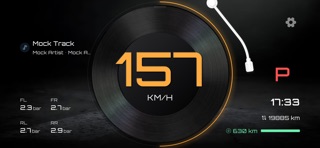
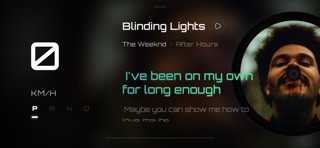
Dash for Tesla is a Bluetooth-based digital dashboard app for users who want to view essential driving information on their phone. No account login, no cloud authorization, and no additional hardware are required. With a supported Bluetooth connection, users can connect locally and view basic information such as vehicle speed and selected vehicle status. Key Features - No account login required No vehicle platform account or password is required, and no remote API authorization is needed. - Local Bluetooth connection Connects through supported Bluetooth capabilities and displays essential information such as speed and selected vehicle status on your phone. - Focused dashboard experience Presents commonly used driving information in a clear and simple layout for quick viewing. - Multiple visual styles Offers different backgrounds and theme styles to match personal preferences. - Local-first design Primarily relies on local Bluetooth communication instead of cloud services, allowing relevant local features to remain available even in weak or offline network conditions. Privacy and Security - No account registration is required. - Vehicle data is not stored long-term on self-hosted servers. - Permissions such as Bluetooth and location are used only for local connection, communication, and related display features. Use Cases - Users who want a simple digital dashboard experience on their phone. - Users who do not want to provide account credentials or rely on cloud-based remote access. - Users who prefer not to install additional hardware devices. Important Notice Dash for Tesla is a third-party independently developed app and is not affiliated with, endorsed by, or officially associated with Tesla, Inc. or its affiliates. This app only provides basic information display based on supported Bluetooth capabilities and does not provide any vehicle modification, flashing, or hacking functionality. Subscription Information Dash for Tesla Premium offers auto-renewable subscriptions. Available subscriptions: - Monthly Plan - Yearly Plan Payment will be charged to your Apple ID account at confirmation of purchase. Subscription automatically renews unless it is canceled at least 24 hours before the end of the current period. Your account will be charged for renewal within 24 hours prior to the end of the current period. You can manage or cancel your subscription at any time in your App Store account settings. Privacy Policy: https://tdash.cn/privacy.html Terms of Use: https://www.apple.com/legal/internet-services/itunes/dev/stdeula/
What's new · 1.8.2
Modified Watchface Switching Logic: Improved the operation and response mechanism for switching watch faces, making transitions smoother and more intuitive. Removed Third-Party Module Data Sources: Removed obsolete third-party module data sources to enhance data loading stability and security. Optimized Bluetooth Request Strategy: Adjusted the request strategy for Bluetooth connection and data transmission, effectively reducing latency and improving connection stability. Brand New Classic Watchface: Introduced a newly redesigned classic watchface that combines retro aesthetics with modern display needs. Optimized Landscape and Large Screen Experience: Adapted the interface for landscape orientation and large-screen devices, resulting in a more reasonable layout and convenient operation. Bug Fixes and Experience Optimization: Fixed several known issues and polished multiple interaction details for an overall smoother experience.
Details