

VirtualTablet: Bluetooth
Eunjin Joo · Graphics & Design
Independent analytics for this App Store listing. AppTracker is not affiliated with Eunjin Joo.
Chart standing · US
What changed · US
Listing changes AppTracker has observed for this app in this storefront — new versions, price moves, rating shifts, and store copy.
Bug fixes and performance improvement
Ratings breakdown · US
The star breakdown behind this app's rating in this storefront.
In-app purchases · US
What this app sells inside itself, grouped by kind and priced for this storefront.
Screenshots



About
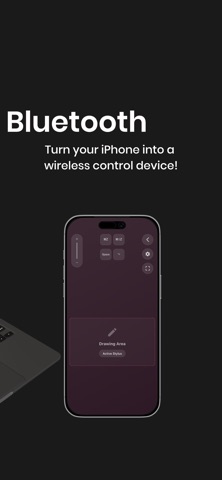
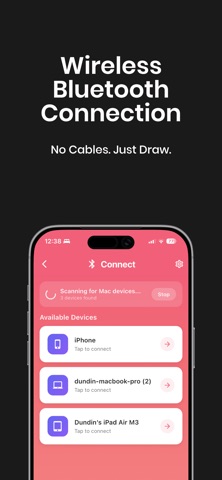
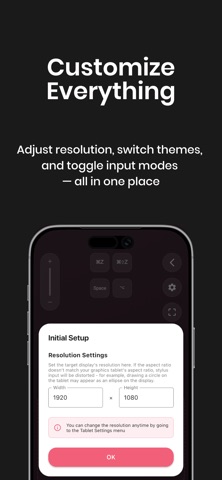
Turn your iPad or iPhone into a wireless pen tablet for your computer! Draw, write, and control your PC with Apple Pencil—just like a professional graphic tablet. VirtualTablet lets you use your iOS device as a high-precision input tablet for desktop apps. It’s perfect for digital artists, osu players, and anyone who needs accurate cursor control without buying expensive hardware. WHAT YOU CAN DO • Draw directly into desktop creative apps • Control your computer cursor with Apple Pencil or touch • Annotate PDFs, slides, and documents for teaching or presentations • Play rhythm games like osu with precise, low-latency input ------- CHOOSE YOUR SETUP: SCREEN MAPPING OR MOUSE MODE VirtualTablet lets you decide how your cursor moves on your device. • Screen Mapping (Absolute Positioning) Your iPad maps directly to your computer display, similar to a traditional pen tablet. Ideal for artists and osu players. • Mouse Mode (Relative Positioning) Use your iPad like a large trackpad. Cursor movement follows your hand regardless of position. ------- APPLE PENCIL SUPPORT • Pressure and tilt sensitivity • Double-tap gesture support • Hover cursor control on supported Apple Pencil models Finger or passive stylus input is supported with basic functionality. ------- WORKS WITH YOUR FAVORITE APPS Compatible with popular desktop software such as Photoshop, Affinity, Krita, Clip Studio, Illustrator, and more. ------- GETTING STARTED WITH VIRTUALTABLET • Download VirtualTablet on your iPhone or iPad • On macOS, download the companion agent from https://www.sunnysidesoft.com/virtualtablet-bluetooth/download • No extra agent required for Windows and Linux. • Launch the app and follow the on-screen instructions • Connect your device via Bluetooth • Use Apple Pencil or touch to control your computer Need help? Visit our website or contact support from the app. https://www.sunnysidesoft.com/support/ ------- Stop paying for expensive drawing tablets. Use the device you already own—download VirtualTablet and start creating. HELP • Support page: https://www.sunnysidesoft.com/support/ • Email us: support@sunnysidesoft.com • Terms of Use (EULA): https://www.apple.com/legal/internet-services/itunes/dev/stdeula/
What's new · 1.16.3
Bug fixes and performance improvement
Details