

Universal TV Remote & Smart TV
Worth A Try LLC · Utilities
Independent analytics for this App Store listing. AppTracker is not affiliated with Worth A Try LLC.
Chart standing · US
What changed · US
Listing changes AppTracker has observed for this app in this storefront — new versions, price moves, rating shifts, and store copy.
Remote Pro 2.0 is rebuilt from the ground up as a native iOS app. • Faster, steadier connections to Samsung, Roku, Fire TV, Android TV and Google TV • A sharper remote with a new look • Finds your TV over WiFi in seconds • A real keyboard for searches and passwords • Saved TVs reconnect by themselves
In-app purchases · US
What this app sells inside itself, grouped by kind and priced for this storefront.
Screenshots


About
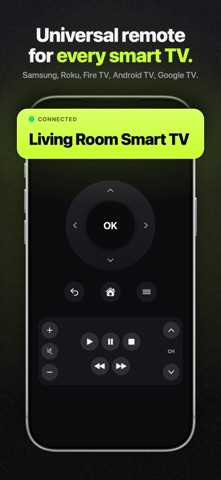
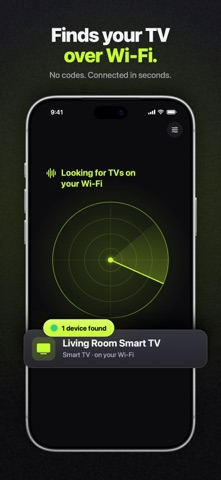
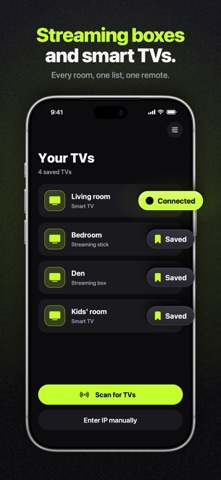
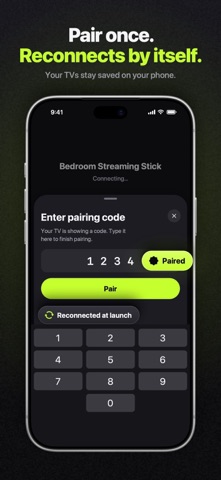
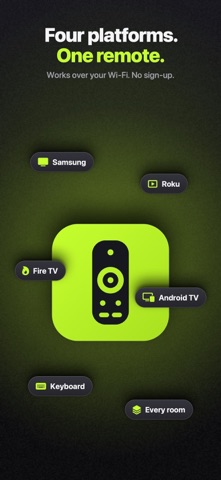
Turn your iPhone into a universal remote for every smart TV and streaming device in your home. Lost your remote? Batteries dead? Your phone is your remote now — and it's always with you. ONE-TAP SETUP • Automatically finds every smart TV and streaming stick on your WiFi • No codes, no complicated pairing — connect and control in seconds • Samsung Smart TVs (2016 and newer), Roku TVs and players, Fire TV and Fire Stick, Android TV and Google TV devices — WHAT REMOTE PRO INCLUDES — FULL REMOTE, EVERY PLATFORM • Power, volume, channels, and mute • Intuitive circular D-pad for effortless navigation • Play, pause, rewind, and fast-forward • Home, Menu, and Back with one tap SMART KEYBOARD • Type searches directly on your TV — no more arrow-key hunting • Enter usernames and passwords in seconds MULTI-TV SUPPORT • Save every TV in your home and switch instantly • Auto-reconnects to your last used TV DESIGNED FOR iPHONE • Clean, fast interface with haptic feedback on every press • Works on iPhone and iPad Connect first, then decide: the app finds your TV and connects before Remote Pro is offered on your first button press. HOW IT WORKS 1. Put your iPhone on the same WiFi network as your TV 2. Open the app and tap Scan 3. Pick your TV and accept the pairing prompt on the TV screen 4. Start controlling — that's it REQUIREMENTS & NOTES • iPhone/iPad and TV must be on the same WiFi network • Supported: Samsung (2016+), Roku, Fire TV / Fire Stick, Android TV / Google TV (Sony, TCL, Hisense, Philips, and more) • Not supported: LG (webOS), Vizio, Apple TV • Volume buttons are not available on Fire TV (platform limitation) — PRICING — Everything above is unlocked by Remote Pro: a weekly subscription or a one-time lifetime purchase (prices are shown in the App Store). The weekly plan auto-renews and you can cancel anytime in your App Store settings. Lifetime is paid once. Support: https://tryremotepro.app/support Privacy Policy: https://tryremotepro.app/privacy Terms of Use: https://tryremotepro.app/terms
What's new · 2.0
Remote Pro 2.0 is rebuilt from the ground up as a native iOS app. • Faster, steadier connections to Samsung, Roku, Fire TV, Android TV and Google TV • A sharper remote with a new look • Finds your TV over WiFi in seconds • A real keyboard for searches and passwords • Saved TVs reconnect by themselves
Details