

Save Audio from Video
OpsOh LLC · Utilities
Independent analytics for this App Store listing. AppTracker is not affiliated with OpsOh LLC.
Chart standing · US
In-app purchases · US
No in-app purchases.
Screenshots

About
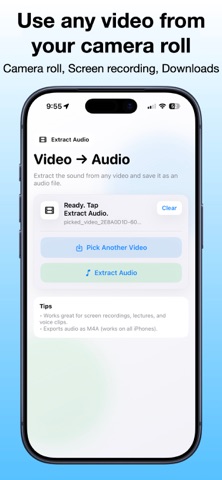
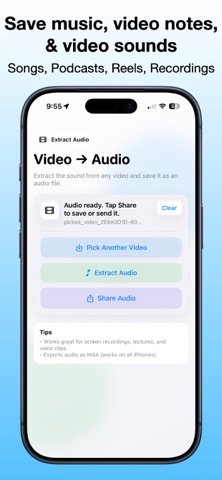
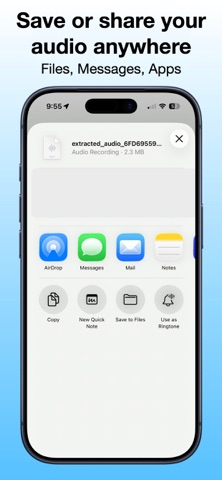
Save Audio from Video lets you extract the sound from any video and save it as an audio file — quickly and easily. Whether you recorded a lecture, a meeting, a voice note, or a screen recording, this app helps you keep just the audio so you can listen anytime, anywhere. No editing. No complicated tools. Just pick a video and extract the sound. How it works: 1. Choose a video from your library 2. Tap Extract Audio 3. Share or save the audio file Perfect for: • Lectures and classes • Interviews and voice notes • Screen recordings • Social video clips • Saving storage by keeping audio only The app exports audio as an M4A file, which works on all iPhones and most devices. Fast, simple, and built for everyday use.
What's new · 1.1
Updated screenshots to better showcase how to quickly extract audio from your videos.
Details