

Home Styler AI : Room & House
Yuri Margaryan · Graphics & Design
Independent analytics for this App Store listing. AppTracker is not affiliated with Yuri Margaryan.
Chart standing · US
What changed · US
Listing changes AppTracker has observed for this app in this storefront — new versions, price moves, rating shifts, and store copy.
What’s New in 1.1.4 • Style from Photo — upload a room and a style reference; AI matches the look • Cabin → Tiny Home — turn a van or cabin into a stylish tiny home on wheels • 120 ready-made styles — new Style tab presets for living room, kitchen, bedroom, and more • Floor plan editor — draw walls, doors, furniture and export your plan • More wall, floor & garden looks — richer style libraries • New languages — German, French, Chinese (plus more localizations) • Fresh Home screen — clearer tools grid and smoother navigation • Bug fixes and performance improvements
Ratings breakdown · US
The star breakdown behind this app's rating in this storefront.
Screenshots




About
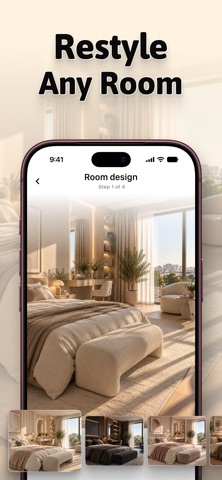
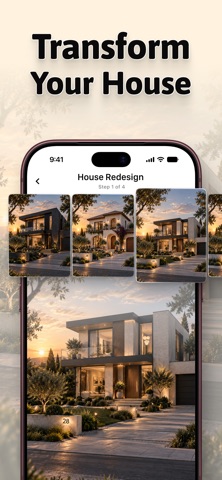
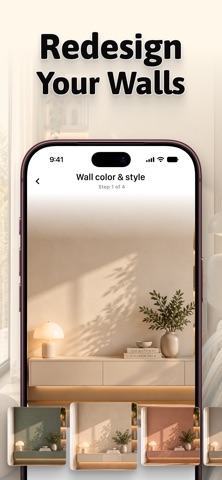
Redesign your home with AI. Upload a photo, choose a style and get a realistic new look in seconds. No sign-up required. WHAT YOU CAN DO - Room Design – 14 room types, 30 interior styles and color palettes: minimalist, Scandinavian, loft, boho, wabi-sabi, art deco and more - House Exterior – restyle your facade in 22 architectural styles - Garden & Yard – 20 landscape styles, your house stays untouched - Floor Change – 20 flooring options, from herringbone oak to marble and terrazzo. Only the floor changes - Wall Colors & Styles – 40 looks, furniture and floor stay as they are - Fill Empty Space – furniture and decor in the style and palette you choose - Style from Photo – transfer the style of a reference photo to your room - Van to Tiny House – turn a van or cabin into a tiny house on wheels - Photo to Blueprint and Floor Plan to 3D render - 2D Floor Planner – walls, doors, windows, furniture, dimensions, room templates - Renovation Budget (Premium) – cost estimate plus optional visualization - 120 ready-made styles for 12 rooms – tap a style, upload a photo, done - Renovation Notes – budget, expenses, receipts and contractors - Before/after comparison, save to Photos, share, full history Available in 11 languages. HOME STYLER AI PREMIUM Try one free generation. Unlock more with a weekly or monthly subscription: daily generations, Create Console (mark an area and edit it with a text command), renovation budget estimates and floor plan export to PDF, PNG and DXF. - Payment is charged to your Apple ID account at confirmation of purchase - Subscriptions renew automatically unless canceled at least 24 hours before the end of the current period - Manage or cancel anytime in your Apple ID account settings Privacy Policy – https://docs.google.com/document/d/1VBbVG3Nhad0QDm4wRpaMXNg8wzs5pUeR7V9C4mx3KPo/edit?tab=t.0#heading=h.114s1p7owxfo Terms of Use – https://docs.google.com/document/d/1bVX2ZurfEMxBuNDo7y5dnrFQ5UFflAbmPWYt-Vmtg4s/edit?tab=t.0#heading=h.wzmsz3uf5orw
What's new · 1.1.4
What’s New in 1.1.4 • Style from Photo — upload a room and a style reference; AI matches the look • Cabin → Tiny Home — turn a van or cabin into a stylish tiny home on wheels • 120 ready-made styles — new Style tab presets for living room, kitchen, bedroom, and more • Floor plan editor — draw walls, doors, furniture and export your plan • More wall, floor & garden looks — richer style libraries • New languages — German, French, Chinese (plus more localizations) • Fresh Home screen — clearer tools grid and smoother navigation • Bug fixes and performance improvements
Details