

MyWins: Chore Chart for ADHD
True North Originals LLC · Productivity
Independent analytics for this App Store listing. AppTracker is not affiliated with True North Originals LLC.
Chart standing · US
What changed · US
Listing changes AppTracker has observed for this app in this storefront — new versions, price moves, rating shifts, and store copy.
- Give each child their own celebration sound on a shared chore, and it now plays for that child - New chores use the default sound you picked in Settings, unless you choose a different one - New: "Use one sound for all chores" in Manage Chores sets every chore's sound at once - A tidier chore list on phones - A heads-up before a free trial ends, explaining what stays free - Smoother syncing between the parent phone and the kid tablet
Ratings breakdown · US
The star breakdown behind this app's rating in this storefront.
Screenshots




About
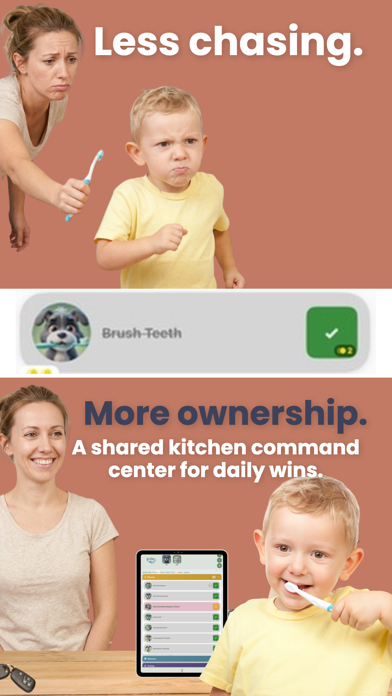
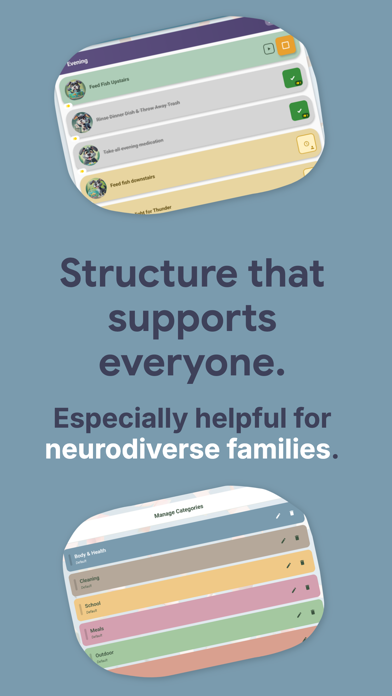
MyWins is a visual chore chart and reward app for kids ages 3 to 12, made for children with ADHD, autism and sensory differences. Kids see their routine as big picture cards, tap to finish a chore, and earn coins toward rewards you choose. Parents approve chores and manage everything behind a PIN. Every new family starts with 14 days of Premium free, no credit card needed. After that, MyWins stays free for 1 child and up to 5 chores, or you can keep Premium for $4.99 a month or $39.99 a year. WHO MYWINS IS FOR • Families of kids with ADHD, autism (ASD), sensory processing differences (SPD), or an IEP or 504 plan • Kids who need visual structure, predictable routines and quick positive feedback • Pre-readers: chores are pictures first, and the app can read each chore aloud • Parents who want a chore chart on a kitchen tablet, an iPad or a phone HOW IT WORKS 1. Add your child and pick chores from ready-made routines, or make your own. 2. Your child taps a chore when it's done and gets a celebration: confetti, sounds and a gentle buzz. 3. You approve it with one tap, and your child's coins go up. 4. Your child spends coins on rewards you set, like a park trip, movie night or extra screen time. BUILT FOR ADHD AND AUTISM • Large, high-contrast chore cards you can read from across the room • Morning, after-school and evening routines that look the same every day • Step-by-step picture guides that break a chore into small steps • Token economy: coins, progress bars and rewards kids can see • No penalties and no red marks for missed days • Text-to-speech reads chores aloud • 20+ celebration sounds, including a whole set of fart sounds kids love • Kid-friendly mood check-ins: happy, calm, anxious, mad or sick SCHEDULES THAT FIT REAL FAMILIES • Pick the days each chore happens • Every-few-days chores, like watering plants every 3 days • A/B week schedules for shared custody or alternating weeks • Chores that can be done more than once a day FOR PARENTS • PIN-protected parent mode • Approve chores one at a time or all at once • Completion history for each child • A separate chore list and coin balance for each child • Optional daily summary email FREE PLAN VS PREMIUM Free, forever: 1 child, up to 5 chores, coins, rewards, and every celebration sound (yes, the fart sounds too). Premium: all your kids, unlimited chores, chore pictures of your child's own character, step-by-step picture guides, and the daily summary email. PRIVACY • No ads • No behavioral tracking or advertising profiles • Parent settings are protected by a PIN SUBSCRIPTION DETAILS • New families get 14 days of Premium free. No credit card is needed, and nothing is charged when it ends; your family moves to the free plan. • MyWins Premium is $4.99 per month or $39.99 per year (US prices; other regions vary). • Payment is charged to your Apple Account when you confirm the purchase. • The subscription renews automatically unless you cancel at least 24 hours before the end of the current period. Manage or cancel it in your Apple Account settings. Terms of Use: https://mywins.family/terms-of-service.html Privacy Policy: https://mywins.family/privacy-policy.html
What's new · 1.9.27
- Give each child their own celebration sound on a shared chore, and it now plays for that child - New chores use the default sound you picked in Settings, unless you choose a different one - New: "Use one sound for all chores" in Manage Chores sets every chore's sound at once - A tidier chore list on phones - A heads-up before a free trial ends, explaining what stays free - Smoother syncing between the parent phone and the kid tablet
Details