
Chart standing · US
Ratings breakdown · US
The star breakdown behind this app's rating in this storefront.
Screenshots



About
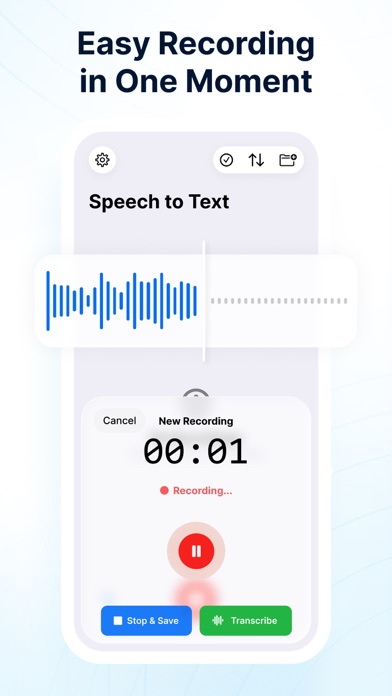
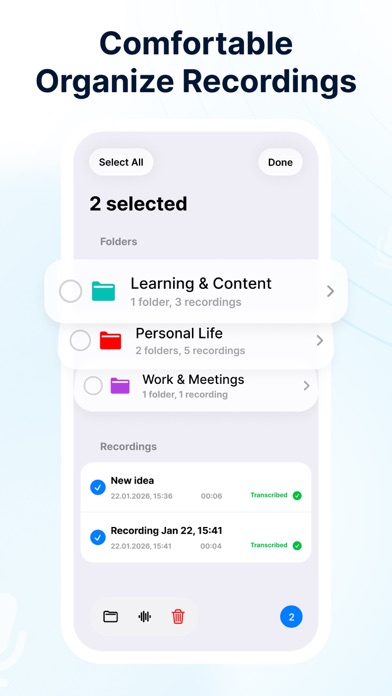
Speech to Text is your AI-powered voice recorder for capturing conversations, turning audio into text, and finding the moments that matter. Record meetings, lectures, interviews, ideas, and important conversations without constantly taking notes. Start recording on your iPhone or Apple Watch, mark key moments while people are speaking, and receive a structured transcript with speakers, timestamps, summaries, and action items. Focus on listening. Speech to Text remembers the details. RECORD FROM IPHONE OR APPLE WATCH Start and stop recordings directly from your iPhone or Apple Watch. Use the Apple Watch app, watch-face complication, Siri, or supported shortcuts for faster access. HIGHLIGHT WHAT MATTERS Hear something important? Tap Highlight Moment on your iPhone or Apple Watch. The app captures 30 seconds before and 30 seconds after your tap. Highlights appear separately in the transcript, helping you return to decisions, deadlines, ideas, questions, and action items in seconds. WHAT YOU CAN DO - Record long conversations with the screen locked - Start and stop recordings from Apple Watch - Highlight important moments during recording - Convert audio into structured text - Automatically distinguish between speakers - Generate summaries, key points, and action items - Replay audio from highlighted moments - Search inside recordings and transcripts - Export transcripts to Notion, Google Docs, PDF, or Markdown - Save recordings locally or sync them across your devices BACKGROUND RECORDING Keep recording while your iPhone is locked or while you use other apps. Capture long conversations without keeping the screen active. AI TRANSCRIPTION Turn audio into readable paragraphs with timestamps. Get a clean transcript instead of a wall of unformatted text. SPEAKER RECOGNITION Automatically distinguish between voices, making it easier to understand who said what in meetings, interviews, and group conversations. SMART SUMMARIES Get the essential information without reading the entire transcript. AI can identify main topics, conclusions, decisions, action items, follow-up questions, and highlighted moments. SEARCH AND REPLAY Search for a word, topic, person, or decision inside hours of audio. Open the matching transcript section and replay the recording from that moment. EXPORT ANYWHERE Export transcripts and notes to Notion, Google Docs, PDF, Markdown, or other apps through the iOS share menu. PERFECT FOR - Business meetings - Client calls - Lectures and classes - Interviews - Brainstorming sessions - Research conversations - Voice notes - Podcasts - Personal ideas HOW IT WORKS 1. Start recording on your iPhone or Apple Watch. 2. Tap Highlight Moment when something important is said. 3. Stop the recording when the conversation ends. 4. Receive a transcript with speakers and timestamps. 5. Review Key Highlights, summaries, and action items. 6. Search, replay, export, or share the result. Record everything. Highlight what matters. Privacy Policy: https://htmlpreview.github.io/?https://gist.githubusercontent.com/strohush/450b438efc8bc944d78584993f856fa1/raw/privacy-policy.html Terms of Use (EULA): https://www.apple.com/legal/internet-services/itunes/dev/stdeula/
What's new · 2.1
Introducing Speech to Text for Apple Watch. - Start and stop recordings directly from your wrist - Highlight important moments during recording - Capture 30 seconds before and 30 seconds after every highlight - Review Key Highlights separately in the transcript - Sync Apple Watch recordings to your iPhone - Use complications, Siri, and shortcuts for faster access - Improved recording stability and synchronization Record everything. Highlight what matters.
Details