

OneHaven Protect
Onehaven Inc. · Utilities
Independent analytics for this App Store listing. AppTracker is not affiliated with Onehaven Inc.
Chart standing · US
What changed · US
Listing changes AppTracker has observed for this app in this storefront — new versions, price moves, rating shifts, and store copy.
Keyboard typing improvement Auto-correct Bug fixes
Screenshots


About
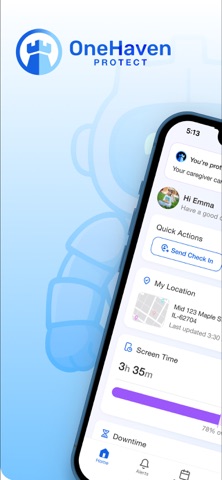
Here’s a caregiver-style description for OneHaven Protect — same structure, tuned for the dependent app and 2.3.2 safe (no pricing in Protect, billing clearly on caregiver). OneHaven Protect – Family Safety Device OneHaven Protect is the app for the phone or tablet being protected. It pairs with the OneHaven caregiver app so your family can help keep you safer online and in daily life—with rules and visibility set by your caregiver, not on your own. Install this on the protected member’s device (child, teen, or family member). A parent or caregiver sets up your family in OneHaven, sends you a pairing code, and you finish setup here. This is not the parent dashboard—use OneHaven on the caregiver’s device to manage your family. IMPORTANT: CAREGIVER APP & SUBSCRIPTION OneHaven Protect is free to download and has no in-app purchases. You need a valid pairing code from your caregiver and the OneHaven caregiver app on their device. Safety and monitoring features are enabled by your caregiver. Subscription and billing, if required, are handled in the OneHaven caregiver app—not in OneHaven Protect. Plan options and pricing are shown there before your caregiver subscribes. WHAT YOU CAN DO IN ONEHAVEN PROTECT • Enter your caregiver’s invite code and complete device setup • Includes an AI safety keyboard that monitors sent messages for threats and alerts caregivers to concerning content • Grant permissions with clear explanations (location, notifications, Family Controls on iOS) • Stay linked to your family’s safety settings • Request access when you need permission for something new • Share location on the family map when your caregiver has enabled it • Send check-ins and safety requests • Receive notifications about rules, pickups, and family alerts • Use Emergency SOS when your family has turned it on • Manage your profile and profile photo on this device • View app usage and screen time summaries for this device FREE IN THIS APP • Download and pair with a caregiver invite code • Complete profile and permission setup • Use features your caregiver has enabled for your device • Contact support and read our privacy policy and terms • No subscription purchase or billing in OneHaven Protect PAIRING & SETUP Your caregiver adds you in the OneHaven app and sends a pairing code Open OneHaven Protect and enter the code Complete profile setup and required permissions Your device stays connected to your family’s protection settings LOCATION FOR SAFETY When your caregiver enables it, OneHaven Protect can share your location so caregivers can see you on the family map and respond if something’s wrong. Location is used for safety—not sold for advertising. PRIVACY & TRUST Your family chooses what to monitor and how. OneHaven is built with clear permissions and transparent data practices. Privacy Policy: https://onehaven.io/privacy-policy Terms of Use: https://onehaven.io/terms-conditions Questions: privacy@onehaven.io or https://onehaven.io/contact REQUIRES A CAREGIVER An active OneHaven family setup and the OneHaven caregiver app are required. OneHaven Protect does not work as a standalone safety app. OneHaven Protect — the protected device companion to OneHaven family safety.
What's new · 1.3
Keyboard typing improvement Auto-correct Bug fixes
Details