

BuzzCam - ProRAW Burst Camera
东景 梁 · Photo & Video
Independent analytics for this App Store listing. AppTracker is not affiliated with 东景 梁.
Chart standing · US
What changed · US
Listing changes AppTracker has observed for this app in this storefront — new versions, price moves, rating shifts, and store copy.
Small refinements to make your experience even better.
In-app purchases · US
No in-app purchases.
Screenshots


Similar apps
Competitors and close alternatives, as estimated by AppTracker.
 ProCam - Pro Camera
Tinkerworks Apps
ProCam - Pro Camera
Tinkerworks Apps
 Burst HD - Super Burst Camera
Sebastien BUET
Burst HD - Super Burst Camera
Sebastien BUET
 Fast Camera
i4software
Fast Camera
i4software
 BurstReel
Kazobe LLC
BurstReel
Kazobe LLC
 Camera+ Legacy
LateNite Apps
Camera+ Legacy
LateNite Apps
 Lens Buddy - Self Timer Camera
Lens Buddy Selfie Timer Photo Video Filter Camera LLC
Lens Buddy - Self Timer Camera
Lens Buddy Selfie Timer Photo Video Filter Camera LLC
 Interval Camera: Auto Capture
CAEN Co., Ltd.
Interval Camera: Auto Capture
CAEN Co., Ltd.
 CameraPixels PRO
Natalya Petrenko
CameraPixels PRO
Natalya Petrenko
About
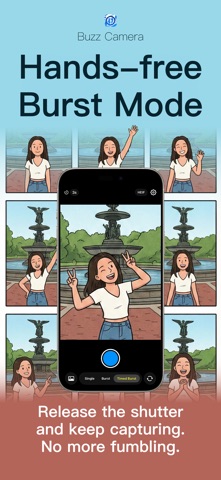
BuzzCam is a burst camera and self timer for iPhone. Take a sequence of photos automatically, move between poses, then choose your favorite in Apple Photos. TAKE PHOTOS WITHOUT HOLDING THE SHUTTER Tap once to start continuous shooting and tap again to stop. For solo travel photos, self portraits or a group picture, place your iPhone on a stable support and start a timed burst. The countdown gives you time to step into the frame before the photos begin. CONTROL YOUR PHOTO SEQUENCE • Choose single shot, continuous burst or timed burst. • Select a capture interval of 0.4, 1, 2 or 3 seconds. Actual speed depends on the device, resolution, format and processing time. • Set a photo count or duration limit, or keep shooting until you stop. • Tap to focus, pinch to zoom and switch available cameras. • Save each photo directly to your photo library. RAW AND PRORAW FOR EDITING LATER Choose RAW/DNG when you want a file for your editing workflow. On compatible cameras, BuzzCam uses Apple ProRAW when available. HEIF and JPEG offer everyday alternatives. RAW, ProRAW and 48MP availability depend on your iPhone, selected lens and capture format; these options are not available on every camera. MORE WAYS TO USE YOUR BURST CAMERA Solo travel and city walks Put yourself in the picture at a viewpoint, a quiet street or a favorite place. Frame the scene first, start the self timer and step into position. Try looking back, walking slowly or turning toward the view, then compare the results afterward. Outfit photos and full-body selfies Keep the phone at a consistent height while you show the front, side and back of an outfit. A longer photo interval gives you time to adjust your pose between shots. Use the sequence to document everyday looks, try-on sessions or a personal style journal. Couples, friends and family Let the usual photographer join the group. Start a timed burst, talk, smile and interact naturally instead of relying on a single shutter press. Choose the frame with the expressions and composition you prefer. Children and pets Capture several expressions as a child shows a toy or a pet looks up. Good light and a suitable distance help. A sequence offers more choices, but sharp results still depend on movement, focus, lighting and camera performance. Self portraits and pose practice Change your gaze, shoulder angle, hand position or seated pose a little at a time. Review the photos to discover which variations you like. BuzzCam captures the sequence; it does not recognize poses or coach your movements. Profile pictures and social content Create real photos for a profile, travel journal or outfit post. Take a few variations, choose a favorite and crop or edit it in another app. Crafts, small objects and desk setups With the phone fixed in place, change an object's angle or arrangement between photos. Use a longer interval when you need time to move items, or single-shot mode when you want to check each composition. A SIMPLE SHOOTING ROUTINE Check the framing and focus with a few test photos. Choose your format, interval and a count or duration limit. Start the countdown, move into the frame and change poses naturally. Stop when you have enough, then select your favorites in Apple Photos. Long sessions and large files use battery and storage and may warm your device. Does interval shooting make a time-lapse video? It saves individual still photos at your selected interval. BuzzCam does not automatically combine them into a video or choose a best shot for you. DOES IT APPLY BEAUTY FILTERS? BuzzCam focuses on taking photos and does not add beauty filters or retouch faces. You can edit your saved photos afterward in your preferred editor. WHERE ARE MY PHOTOS SAVED? Photos are saved to your device's photo library. No account is required. Camera and add-to-library access are needed for capture and saving; adding GPS location to photos is optional.
What's new · 1.1
Small refinements to make your experience even better.
Details