

Scan Photos to PDF: ZenScanner
Timur Sarbassov · Utilities
Independent analytics for this App Store listing. AppTracker is not affiliated with Timur Sarbassov.
Chart standing · US
What changed · US
Listing changes AppTracker has observed for this app in this storefront — new versions, price moves, rating shifts, and store copy.
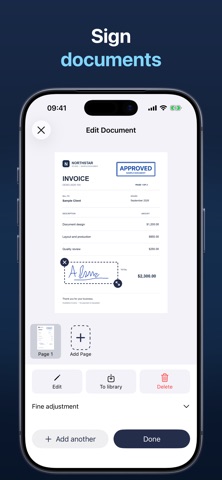
Add signatures and stamps to your scanned documents with ZenScanner Pro. Draw your signature or import an image, then place and resize it on the page. Save signatures and stamps to use again on other documents. Crop imported images and remove light backgrounds before adding them to your scans. We've also improved document straightening and color cleanup, and added zoom to saved documents so you can inspect small details. The Photo filter now skips automatic straightening to preserve the layout of your photos.
Ratings breakdown · US
The star breakdown behind this app's rating in this storefront.
Screenshots



About
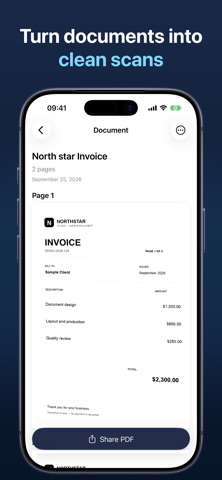
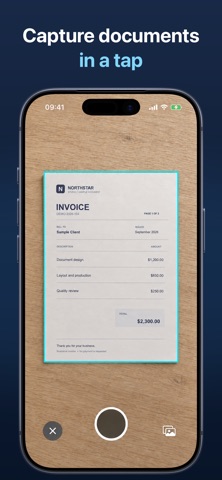
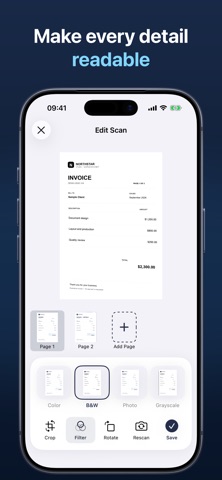
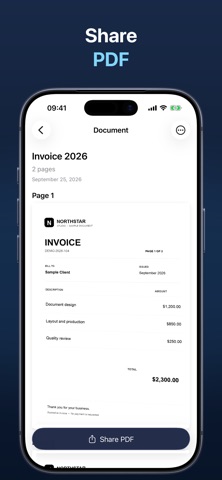
Turn paper into clean, organized PDFs in seconds. Scanner is a fast, elegant document scanner that helps you capture receipts, notes, contracts, and handwritten pages with professional results. Point your camera, let the app detect the edges, and get a crisp scan that’s ready to share, archive, or edit. Built for speed and clarity, Scanner keeps your documents in one place and makes them easy to find later. Why you’ll love Scanner: - Smart edge detection that finds your document automatically - Perspective correction and cropping for perfectly aligned scans - One‑tap color cleanup (color, grayscale, or black & white) - Multiple pages in one PDF - Rename and organize scans your way - Quick share to Mail, Messages, Files, or your favorite apps (subscription required) - Beautiful, simple interface that stays out of your way Whether you’re scanning a receipt at the store, capturing classroom notes, or digitizing important paperwork, Scanner delivers clean results in seconds. The scanning flow is designed for real life: open the app, scan, and you’re done. Key features - Fast camera scanning with automatic edge detection - Manual capture controls when you want precision - Built‑in document list with previews - PDF export and sharing (subscription required) - Free scanning and local document storage - Designed for iPhone Scanner is built with native SwiftUI for smooth performance and a modern feel. It supports Dark Mode, Dynamic Type, and works across different screen sizes so it looks great on any iPhone. Privacy first Your documents are yours. Scanner stores scans locally on your device by default. You stay in control of your files and how you share them. Perfect for: - Students and teachers - Small business owners - Freelancers and contractors - Anyone who wants to go paperless Start scanning now and keep your documents clean, searchable, and ready when you need them. Subscription (optional) Scanning and local document storage are free. PDF export and sharing require a paid subscription. If you choose to subscribe, payment will be charged to your Apple ID account at confirmation of purchase. Subscriptions renew automatically unless canceled at least 24 hours before the end of the current period. You can manage or cancel your subscription anytime in Settings. Any unused portion of a free trial, if offered, will be forfeited when you purchase a subscription. Terms of Use (EULA): https://www.apple.com/legal/internet-services/itunes/dev/stdeula/ Privacy Policy: https://webexts.notion.site/Privacy-Policy-2683e8935898809387cfe98d62600ed5
What's new · 1.4
Add signatures and stamps to your scanned documents with ZenScanner Pro. Draw your signature or import an image, then place and resize it on the page. Save signatures and stamps to use again on other documents. Crop imported images and remove light backgrounds before adding them to your scans. We've also improved document straightening and color cleanup, and added zoom to saved documents so you can inspect small details. The Photo filter now skips automatic straightening to preserve the layout of your photos.
Details