

Offset - Time Zone Conversions
Jayden Kerr · Travel
Independent analytics for this App Store listing. AppTracker is not affiliated with Jayden Kerr.
Chart standing · US
In-app purchases · US
What this app sells inside itself, grouped by kind and priced for this storefront.
Screenshots



About
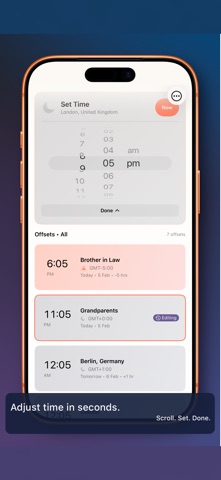
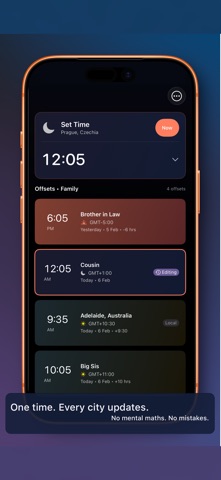
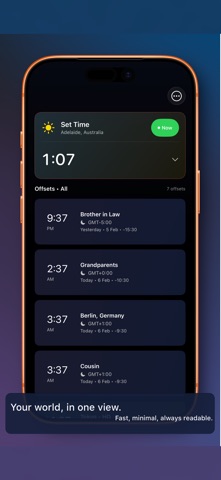
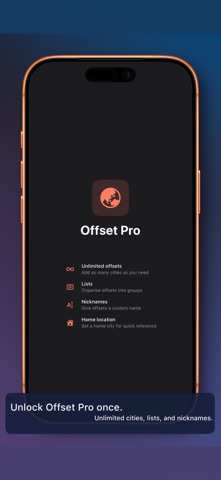
When someone says “I’ll call you at 5pm my time”, Offset gives you the answer instantly. Add the cities that matter (family, friends, work), then adjust a single time and see what it is everywhere else — immediately. No menus, no maths, no back-and-forth. Built for real-world time zone questions • Quickly answer: “What time is X in Y?” • Time adjustment is front and centre — scroll, set, done • Keep cities organised with lists (Family, Work, Travel) Fast and private by design • Works entirely offline • No accounts • No ads • No tracking Free vs paid • Free: Your local time + 2 cities • One-time purchase: Unlimited cities, lists, and city nicknames (AU$2.99 / US$1.99) If you coordinate across time zones even once a week, Offset pays for itself in the first avoided mix-up.
What's new · 1.1.0
Offset 1.1 — What's New New Features - DST Transition Awareness — Upcoming daylight saving changes now appear as annotations on timezone cards (Pro) and as a banner on the home screen (free + Pro). Widget cells also show DST transition badges when a change is approaching. You can toggle detailed DST annotations in Settings under Pro Features. - Time Format Setting — New option in Settings to force 12-hour or 24-hour time display, or follow the system default. Applies across the main app, all widgets, and the lock screen. - Widget Gallery — Settings now includes a live preview gallery showing all available widget styles (Offset Glance, Offset Focus, Offset World, Lock Screen Clock, Lock Screen Detail) with your actual timezone data. - City Monogram on Analogue Clock — Analogue clock widgets now show a 3-letter city abbreviation (e.g. "ADL", "TOK") below the 12 o'clock position, watch dial style. Improvements - Improved contrast and visibility for compact analogue clock on the lock screen (explicit dark colours to survive vibrancy) - Analogue clock hands are now properly centred with distinct hour/minute lengths - Widget timeline extended to 4 hours and now reloads when the app comes to the foreground - Settings reorganised with consolidated Display and Pro Features sections - Lock screen circular widget now correctly renders analogue clock when configured Bug Fixes - Fixed collapsible time picker animation overlap - Fixed time format not propagating to widgets and timezone cards
Details