
Chart standing · US
Screenshots



About
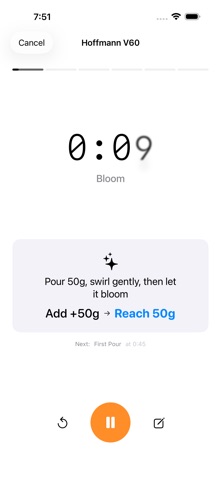
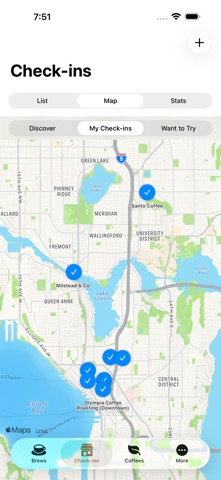
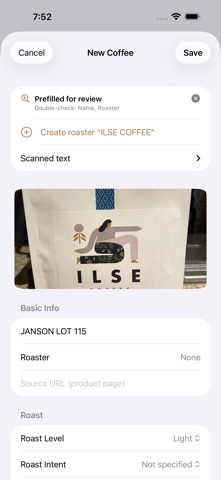
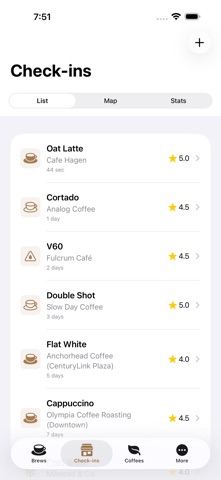
BeanBench is a coffee log for people who brew at home and drink out. Track the beans you buy, the cups you make, and the cafés you visit, then see how your taste develops over time. LOG BREWS, YOUR WAY - Guided timers with stage-by-stage prompts and haptics: V60, 4:6, the BeanBench House recipes, Chemex, Kalita, AeroPress, French press, Stagg [XF], cold brew, and cupping, plus any recipe you save yourself. - Quick manual logging when you already know the numbers: dose, water, temperature, grind (with your grinder's own scale), total time, and drawdown. Add a custom brew method if yours isn't listed. - Espresso too: baskets, prep, pressure profiles, and shot outcomes. BUILD YOUR COFFEE LIBRARY - Scan a bag: photograph the label and BeanBench reads it on your device, including the roaster, origin, process, variety, roast date, and tasting notes. Then you review and save. Photos never leave your phone. - Or import from an AI assistant: copy a prompt, attach your bag photos in the assistant you already use, then paste the reply back. - Track price, bag size, rest days after roast, and whether you'd buy again. Resting reminders tell you when a bag is ready. RATE WITH PRECISION - Five stars, with quarter-star steps. Tap for speed, drag for precision. CHECK IN AT CAFÉS - Log drinks at coffee shops with photos, prices, and ratings. See your visits on a map and in stats. Earn badges as your coffee map grows. SEE YOUR TASTE DEVELOP - The Coffee Passport automatically stamps countries and flavor families based on what you log. - Analytics show brew trends, spending, top coffees, and what you actually reorder. YOUR DATA, YOURS - Everything lives on your device. Optional iCloud sync uses your private iCloud account, with live sync status in Settings so you always know where things stand. We never see your data. - Full backup and restore to a single file. CSV and JSON export for everything. No account. No ads. No tracking.
What's new · 1.3
SCAN A BAG - Photograph a coffee bag and BeanBench reads the label on your device: roaster, origin, process, variety, roast date, and tasting notes prefill the form for you to review. Photos never leave your phone. - Or import from an AI assistant: copy a prompt, run it with your bag photos in the assistant you already use, and paste the reply back. ICLOUD SYNC - Keep coffees, brews, check-ins, and settings in step across your devices through your private iCloud account. We never see your data. - New installs are offered sync during setup and it starts right away, with no restart. Existing users get a one-time offer in the app. - Settings shows live sync status: when the last sync finished and, if something went wrong, what and why. COFFEE PASSPORT - Countries and flavor families stamp themselves from what you log, so you can see where your taste is heading. RATE WITH PRECISION - Drag across the stars for quarter-star steps. Taps work exactly as before. BACKUP AND RESTORE - Export everything, photos included, to a single file, and restore it on a new phone. ALSO IN THIS UPDATE - BeanBench House V60 recipes built in, plus Fellow Stagg [XF] and a custom option for brewers that aren't listed. - Drawdown time prefills, with a live cue in the guided timer. - Buy Again keeps the price, bag size, and roaster notes from the original bag. - Analytics and Settings moved into a single More tab. - Ask AI: copy a paste-ready summary of any brew, coffee, or check-in. - Fixes: a freeze when opening Personalized Recommendations, quarter and half stars drawing under-filled, share cards missing the brew photo and washing out in light mode, an empty notes card on rated brews, saving a guided brew leaving you stranded on the recipe picker, a duplicate curated coffee shop, and resting reminders.
Details