

Kesef: Expense Tracker
GONZALO NAHMIAS · Finance
Independent analytics for this App Store listing. AppTracker is not affiliated with GONZALO NAHMIAS.
Chart standing · US
What changed · US
Listing changes AppTracker has observed for this app in this storefront — new versions, price moves, rating shifts, and store copy.
What's new in Kesef 2.5.0 • Savings goals: Save for a trip or an emergency fund and see if you'll make it. And your budgets now tell you if you're spending fast and how much you can spend per day. • Your month, payday to payday: If you get paid mid-month, tap the month on Home and pick the day yours starts. Budgets and Insights follow along. • Calendar in Activity: See how much you spent each day and which payments are coming, including installments and fixed expenses. • Insights, redesigned: How you're doing against last month, what changed, where you spend the most and how you pay. And in Activity, filtering shows the total. • Shared pot in groups: For a trip or the household, everyone chips in, expenses come out of the pot and Kesef tells you how much is left. • New widgets: Monthly spending, budgets and quick actions on your Home Screen. More › Widgets shows you how to add them. • Tweaks and design improvements: A fresh look for More, tidier notices on Home and fixes so everything runs more smoothly.
Price & rating history · US
Reconstructed from the listing changes AppTracker has observed in this storefront. A field is charted once it has changed more than once, and each line starts at the value it moved from.
Average rating · ★ 4.87 now · 8 changes on record
Ratings breakdown · US
The star breakdown behind this app's rating in this storefront.
Screenshots




About
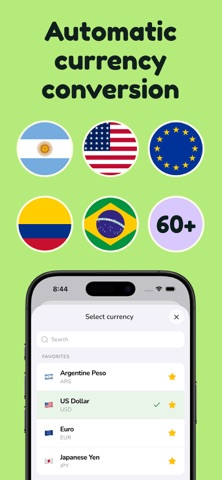
Expense tracker and budget planner: your Apple Pay payments log themselves. Track your spending, split bills with your group and log expenses with your voice, in 150+ currencies worldwide. Free, fast and effortless. Kesef is a simple yet powerful expense tracker and personal finance app: log expenses and income, set budgets by category, keep an eye on your subscriptions and see where your money goes, even if you use more than one currency. Customize the app your way! EXPENSES THAT LOG THEMSELVES • Apple Pay: pay in a store with your iPhone and the expense is logged, with amount and merchant. Set it up once with Shortcuts (iOS 17 or later). • Mercado Pago: connect your account and your QR payments, purchases and transfers come in on their own, with their category. Read-only: Kesef can't move your money. Available in Argentina, Brazil, Chile, Colombia, Mexico, Peru and Uruguay. VOICE, SHORTCUTS AND WIDGETS • Say everything you spent today in one go and Kesef understands you and sorts each expense into its category, like magic. • Log an expense with Siri, Shortcuts, the Action button or a double tap on the back of your iPhone, without opening the app. • Widgets, tags and daily streaks to keep the habit going. CHAT WITH YOUR DATA Ask Kesef where you spent the most or how you can save, and get the answer with your own numbers. GROUPS AND SHARED EXPENSES Split the rent, a trip or a dinner and always know who owes whom. • Equally, by percentage, by shares or by exact amounts • Add people who don't have Kesef yet and invite them later with a link or code • Kesef simplifies debts into the fewest possible transfers • Only your share counts as your expense Groups are optional and free for everyone. Split expenses with your partner, friends, or anyone you want! INSTALLMENTS, RECURRING AND SUBSCRIPTIONS • Installment purchases: log them once and Kesef places each payment in its month. • Rent, utilities, subscriptions and your salary are created automatically every month. MULTI-CURRENCY Log in 150+ currencies with automatic conversion to your main currency. Ideal for travel or if you earn in one currency and spend in another. BUDGETS AND STATS Set a budget per category and follow your progress in real time. See your monthly spending in clear charts and compare periods. With Pro: detailed insights and an end-of-month balance forecast. PRIVACY AND SECURITY • Your transactions are stored on your phone and you can log expenses offline. • No account needed to start. The account is optional and free: use it to sync devices, join groups and connect Mercado Pago. • We never ask for your bank or Mercado Pago password. • Face ID lock. • The free version includes ads; Kesef Pro removes them. EXPORT AND IMPORT Import your history from another app with an Excel file and export your transactions to CSV, JSON or Excel. IN YOUR LANGUAGE Native iOS design with light and dark mode, in 50+ languages. Optional daily reminder so you never forget to log. PERFECT FOR - Anyone who wants to track spending without the hassle - Roommates, couples and friends who split expenses - People who handle several currencies (USD, EUR, GBP, MXN and more) - Travelers, freelancers and digital nomads KESEF PRO Adds automatic Apple Pay and Mercado Pago, unlimited voice entry, unlimited tags and budgets, detailed insights, Excel export and no ads. SUBSCRIPTIONS Kesef is free to use and offers auto-renewable subscriptions (Kesef Pro) with advanced features. • Payment will be charged to your Apple Account at confirmation of purchase • The subscription renews automatically unless it is canceled at least 24 hours before the end of the current period • You can manage or cancel your subscription in your Apple Account settings Privacy Policy: https://www.getkesef.app/privacy Terms of Use (EULA): https://www.apple.com/legal/internet-services/itunes/dev/stdeula/
What's new · 2.5.0
What's new in Kesef 2.5.0 • Savings goals: Save for a trip or an emergency fund and see if you'll make it. And your budgets now tell you if you're spending fast and how much you can spend per day. • Your month, payday to payday: If you get paid mid-month, tap the month on Home and pick the day yours starts. Budgets and Insights follow along. • Calendar in Activity: See how much you spent each day and which payments are coming, including installments and fixed expenses. • Insights, redesigned: How you're doing against last month, what changed, where you spend the most and how you pay. And in Activity, filtering shows the total. • Shared pot in groups: For a trip or the household, everyone chips in, expenses come out of the pot and Kesef tells you how much is left. • New widgets: Monthly spending, budgets and quick actions on your Home Screen. More › Widgets shows you how to add them. • Tweaks and design improvements: A fresh look for More, tidier notices on Home and fixes so everything runs more smoothly.
Details