

LensMentor
COOL-MIND INNOVATIONS PTE. LTD. · Photo & Video
Independent analytics for this App Store listing. AppTracker is not affiliated with COOL-MIND INNOVATIONS PTE. LTD.
Chart standing · US
What changed · US
Listing changes AppTracker has observed for this app in this storefront — new versions, price moves, rating shifts, and store copy.
Introducing Frame mode. Move, resize, and rotate the frame in the live viewfinder. The dimmed surroundings help you discover a stronger composition within a wider scene, and the photo captures what you framed.
Ratings breakdown · US
The star breakdown behind this app's rating in this storefront.
Screenshots


About
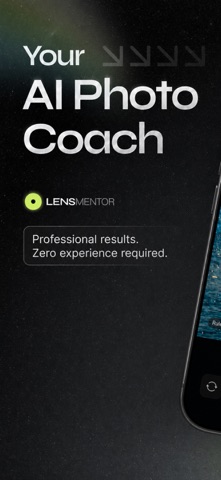
LensMentor is your pocket AI photography coach and creative camera. It helps you shoot better photos without getting lost in complex settings. LensMentor analyzes your live view and gives practical guidance for composition, pose, filters, exposure, and camera settings. In new version, dedicated shooting modes make creative captures easier: Portrait, Light Trail, Motion Blur, Starry Sky, and Star Trail. Key Features • AI Framing beyond portraits: get AI crop and composition recommendations for more scenes and aspect ratios, not only people • Dual-Camera mode: standard + ultra‑wide, front camera included, live previews on one screen • Dedicated shooting modes: Standard, Portrait, Light Trail, Motion Blur, Starry Sky, and Star Trail • Creative long-exposure capture: stack moving lights, soft motion, clean night skies, or star trails with live progress and mode-specific duration controls • Portrait mode: depth-based background blur with adjustable depth control on supported rear cameras • Pose Guide for portraits: use built-in pose overlays or import your own reference image to guide portraits and selfies • Scene-based recommendations: portrait, landscape, food, night, sunset—get suggested filters and shooting settings before you press the shutter • Custom filter import: bring in .cube LUT filters and manage your own looks • Auto + Pro controls: switch between automatic shooting and manual ISO, shutter, focus, white balance, exposure, and zoom controls • Pro tools: RAW/ProRAW where supported, live histogram, zebra exposure warning, leveling tools, Live Photo where available, and photo frame options • Cleaner camera UI: redesigned mode strip, effect previews, compact parameter controls, and clearer capture status • No ads: core camera features are free, with advanced features available through Pro trial and one-time unlock Designed for everyday photographers, creators, travelers, and enthusiasts who want better framing, steadier shooting, and more creative results from an iPhone camera. Terms of Use: https://www.apple.com/legal/internet-services/itunes/dev/stdeula/ Privacy Policy: https://lensmentor.coolmind-innovations.com/privacy.html
What's new · 2.7.0
Introducing Frame mode. Move, resize, and rotate the frame in the live viewfinder. The dimmed surroundings help you discover a stronger composition within a wider scene, and the photo captures what you framed.
Details