

Screenshot Editor - ScreenPop
ALAATTIN OZKAYA · Photo & Video
Independent analytics for this App Store listing. AppTracker is not affiliated with ALAATTIN OZKAYA.
Chart standing · US
Ratings breakdown · US
The star breakdown behind this app's rating in this storefront.
In-app purchases · US
What this app sells inside itself, grouped by kind and priced for this storefront.
Screenshots



About
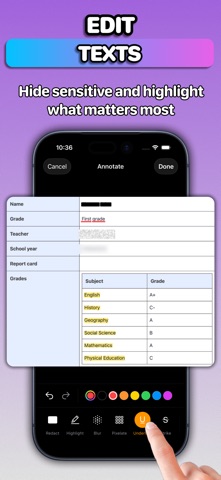
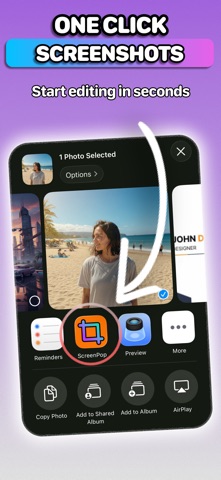
ScreenPop transforms your screenshots into polished, professional images in seconds. Whether you need to hide sensitive information, showcase your app in stunning device mockups, or create eye-catching social media posts, this is the only screenshot tool you need. # Powerful Annotation Tools Ten precision tools to mark up any screenshot: - Redact: Black out confidential text and data - Highlight: Draw attention to important content - Blur and Pixelate: Protect any private info, payment, and personal details - Underline and Strikethrough: Mark text with accuracy - Text: Add labels with rich styling, shadows, and borders - Drawing: Freehand annotations - Stickers: Browse millions of GIFs and stickers from Giphy - Image Overlay: Add logos, watermarks, and custom graphics # Smart Text Detection Tap anywhere on detected text to instantly apply annotations. No manual selection required. The app recognizes text in your screenshots and aligns your markups perfectly. # Device Mockups Showcase your work in realistic device frames: - iPhone 17 Pro, iPhone 16 Pro, iPhone Air - iPad Pro, iPad mini - MacBook Air, MacBook Pro - Apple Studio Display - macOS window frames (light and dark) Every frame features authentic materials, colors, and details. # Beautiful Backgrounds Choose from solid colors, gradient styles, custom images, or browse millions of free photos from Pexels. # Export Options Export and share with single tap. # Privacy First All processing happens entirely on your device. Your screenshots never leave your phone. No uploads. No cloud processing. No tracking. Privacy Policy: https://privacy.ftw-labs.com Terms of Use: https://www.apple.com/legal/internet-services/itunes/dev/stdeula/
Details