

Did I Lock It? Lock'd
Hideaki Misawa · Lifestyle
Independent analytics for this App Store listing. AppTracker is not affiliated with Hideaki Misawa.
Chart standing · US
What changed · US
Listing changes AppTracker has observed for this app in this storefront — new versions, price moves, rating shifts, and store copy.
New Home Screen and Lock Screen widgets: see your progress and check times without opening the app, and choose which group to show. The app icon also has a fresh new look.
In-app purchases · US
What this app sells inside itself, grouped by kind and priced for this storefront.
Screenshots


About
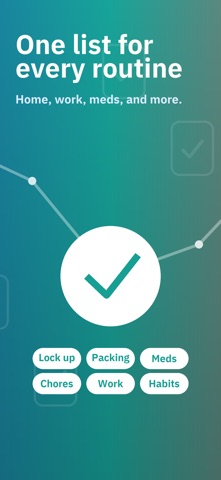
"Did I really lock the door?" If that thought pops up on the way out, at the office, or already in bed, Lock'd gives you a clear record to check. It turns "did I?" into "checked." For Those Last-Minute Doubts If you want one place to confirm the front door, stove, windows, and switches, a timestamped checklist helps. Your Before-You-Leave Checklist Door lock. Gas valve. Windows. Stove. Outlets. Add anything you want to check. Tap once to confirm — and keep a record that you're all set for today. Not Just Door Locks Choose what you want to check — Lock up, Packing, Meds, Chores, Work, or Habits — and Lock'd sets up your first list for you. Edit it anytime, and add your wallet, phone, charger, or anything else you tend to forget. Lock'd works for every "did I do it?" — not just "did I lock it?" Group Your Routines Create separate lists for Leaving Home, Before Bed, and Morning Routine — so the right items show up at the right moment, and nothing extra gets in the way. Reminders That Fit Each Routine Set reminders for each group and pick the days and times that suit it — say, 7:30 on weekdays and 9:00 on weekends. Lock'd nudges you to run through the list, so checking becomes second nature. Already checked everything? No reminder. Lock'd never nags. Proof You Can Check Later Every confirmation is timestamped. If you wonder later, open the app and see exactly when you checked — as a list or on a calendar. Home Screen & Lock Screen Widgets Add Lock'd to your Home Screen or Lock Screen to see your progress and check times without opening the app. Pick which group to show, so when "did I lock it?" crosses your mind after you leave, the answer is right there. Fresh Every Morning Your list resets automatically each morning, so yesterday's checks never blur into today's list. No Account. No Cloud Sync. Your checklist data stays on your device, and the core checking flow works offline. Designed for Clear Checks Light and dark themes, large tap targets, and a layout that makes it clear when you're done for the day. Download Lock'd and keep your daily checks in one place.
What's new · 1.3.0
New Home Screen and Lock Screen widgets: see your progress and check times without opening the app, and choose which group to show. The app icon also has a fresh new look.
Details