

Minimal Space
Brandon Briggs · Productivity
Independent analytics for this App Store listing. AppTracker is not affiliated with Brandon Briggs.
Chart standing · US
Screenshots


About
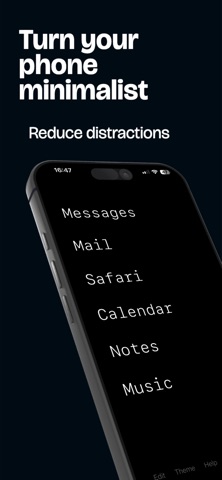
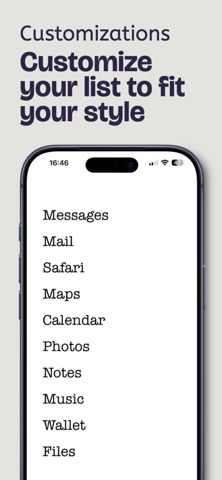
Minimal Launcher transforms your iPhone into a focused, distraction-free tool. Say goodbye to endless scrolling and app clutter—keep only what matters. DISTRACTION-FREE BY DESIGN Your home screen becomes a simple text list of apps you choose. No icons, no notifications, no temptation. Just what you need, when you need it. BEAUTIFUL CUSTOMIZATION 9 elegant color themes (Classic, Light, Midnight, Forest, and more) 9 premium fonts (System, New York, Georgia, Baskerville, and more) Adjustable font size and spacing Create the perfect minimal aesthetic COMPLETE CONTROL Choose which apps appear in your launcher Drag to reorder apps however you want Add native iOS apps and popular third-party apps Hide everything else in your App Library LOCK SCREEN WIDGET Add a minimal widget to your lock screen for instant access to your launcher. One tap and you're in. PREMIUM FEATURES: 9 exclusive color themes 9 premium fonts Custom font sizing (16-40pt) Custom app spacing All future updates included PERFECT FOR: Anyone trying to reduce screen time People who want a more intentional phone Minimalists who value simplicity Focus-driven professionals Students minimizing distractions WHY MINIMAL LAUNCHER? Most productivity apps add more to your phone. Minimal Launcher takes away. It strips your phone down to essentials, helping you use your device as a tool, not a distraction. Your apps are still there—just hidden until you need them. The result? A calmer, more intentional relationship with your phone. FREE FEATURES: Unlimited app selection Drag-and-drop reordering Lock screen widget 2 free themes (Classic & Light) System font Terms Of Use: https://minimalspaceapp.web.app/terms.html
Details