

Text to PDF Converter - Text2P
Anmol Kulshreshtha · Productivity
Independent analytics for this App Store listing. AppTracker is not affiliated with Anmol Kulshreshtha.
Chart standing · US
What changed · US
Listing changes AppTracker has observed for this app in this storefront — new versions, price moves, rating shifts, and store copy.
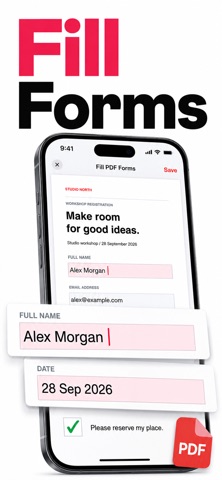
Version 1.0.8: • The Weekly plan with a 3-day free trial is back. • Purchases waiting for bank or family approval now unlock Pro automatically once approved. • Sign & Fill: a clearer Save button, and a helpful message when a PDF can't be opened. • Stability improvements and bug fixes.
Price & rating history · US
Reconstructed from the listing changes AppTracker has observed in this storefront. A field is charted once it has changed more than once, and each line starts at the value it moved from.
Average rating · ★ 4.71 now · 7 changes on record
Ratings breakdown · US
The star breakdown behind this app's rating in this storefront.
Screenshots




About
Convert Text to PDF – Fast, Simple & Secure Convert Text to PDF easily with a powerful and reliable Text to PDF Converter app. Create professional PDF files from plain text in seconds. Perfect for students, professionals, writers, and business users. Text to PDF conversion has never been this simple. Key Features • Convert Text to PDF instantly • Create PDF from text files with one tap • Offline Text to PDF converter – no internet required • High-quality PDF output with clear formatting • Lightweight and fast PDF creator • Secure Text to PDF conversion on your device • Simple and clean user interface • Works with large text files smoothly Why Choose Our Text to PDF Converter This Text to PDF app is designed for speed, accuracy, and ease of use. Whether you need to convert notes, documents, or written content, this app delivers reliable PDF files every time. Use this Convert Text to PDF app to: • Save text as PDF • Share text documents in PDF format • Archive important text files • Create printable PDF documents The Text to PDF Converter ensures consistent formatting and professional results. Ideal For • Students converting notes to PDF • Professionals creating PDF documents • Writers saving text drafts as PDF • Business users sharing text files securely This Convert Text to PDF app is suitable for daily use and professional workflows. Secure & Reliable All Text to PDF conversions happen locally on your device. No data is uploaded. Your text remains private and secure. SUBSCRIPTION DETAILS Payment is charged to your iTunes account upon purchase. Subscriptions auto-renew unless turned off at least 24 hours before renewal. Manage subscriptions in your Account Settings. If a free trial is available, any unused portion is forfeited upon purchase. Terms of Use: https://pdfcompressortermsofuse.vercel.app Privacy Policy: https://pdfcompressorprivacypolicy.vercel.app
What's new · 1.0.8
Version 1.0.8: • The Weekly plan with a 3-day free trial is back. • Purchases waiting for bank or family approval now unlock Pro automatically once approved. • Sign & Fill: a clearer Save button, and a helpful message when a PDF can't be opened. • Stability improvements and bug fixes.
Details