

AI Stock Pilot: Smart Quant
祥政 孔 · Finance
Independent analytics for this App Store listing. AppTracker is not affiliated with 祥政 孔.
Chart standing · US
What changed · US
Listing changes AppTracker has observed for this app in this storefront — new versions, price moves, rating shifts, and store copy.
This update adds a Classic Strategies collection to help you explore familiar technical indicators and publicly shared investing ideas. - Added collection entries on the strategy leaderboard and Home screen, opening a dedicated page for technical indicators and investor ideas - Shows existing MACD, KDJ, RSI, and Bollinger Band presets, with historical backtest snapshots where available - Added observation templates inspired by public ideas from Peter Lynch, Warren Buffett, and Lin Yuan, with platform-defined rules, source links, and observation backtests - Fixed missing trade details in some observation backtests and improved risk overview and T-cycle closeout messages These templates are built by the platform from public sources. They are not provided, authorized, endorsed, or managed by the named investors, and do not represent their actual holdings, trades, or returns. Observation backtests cannot be followed. Historical simulations are not live results or predictions of future performance. This content is for education and research only, not investment advice.
Ratings breakdown · US
The star breakdown behind this app's rating in this storefront.
In-app purchases · US
What this app sells inside itself, grouped by kind and priced for this storefront.
Screenshots


About
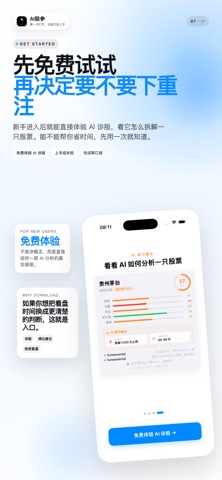
AI Stock Companion is an information organization and research support tool for investors, supporting market data tracking for A-shares, Hong Kong stocks, and U.S. stocks. It brings together market data, announcements, news, events, charts, and AI-generated summaries in a clearer interface to help users improve research efficiency. 【Key Features】 • AI Research Assistant: View market highlights, watchlist updates, and risk alerts related to the stocks you follow • Watchlist Overview: Track stock updates, event changes, price movements, and indicator changes in one place • Stock Information Summary: Generate structured summaries based on public information, historical data, chart indicators, and event content • Follow-up Questions: Ask contextual questions about stocks, sectors, events, and market information • Live Activity Tracking: Keep an eye on selected stock movements from the Lock Screen and Dynamic Island • Relevant Events Today: Surface event updates that are more relevant to your watchlist and interests • Risk Alerts: Identify drawdowns, unusual volatility, and publicly available negative event signals • Multi-market Coverage: View and track A-shares, Hong Kong stocks, and U.S. stocks • Charts and Research: Access intraday charts, candlestick charts, common technical indicators, and stock event timelines 【Who It’s For】 • Investors who want to improve market monitoring and information organization efficiency • Users who want to view news, events, market data, and charts in one place • Watchlist users who want to stay informed about stock updates and risk changes more efficiently 【Subscription and Auto-Renewal】 AI Stock Companion offers Pro and Ultra membership subscriptions, available monthly or annually. Specific benefits are shown in the app. • Payment will be charged to your Apple ID account upon confirmation of purchase • Subscriptions renew automatically unless auto-renewal is turned off at least 24 hours before the end of the current subscription period • Renewal charges will be made within 24 hours before the end of the current subscription period • You can manage or cancel your subscription in your App Store account settings • If a free trial is offered, cancellation during the trial period will not result in a charge 【Legal】 • Privacy Policy: https://aigucan.com/h5/privacy-policy.html • Terms of Service / EULA: https://aigucan.com/h5/terms.html • Standard Apple Terms of Use: https://www.apple.com/legal/internet-services/itunes/dev/stdeula/ 【Disclaimer】 Investing involves risk. AI Stock Companion only provides market data display, public information organization, data summaries, and research support features. It does not provide securities investment advisory services, investment advice, stock recommendations, buy or sell timing judgments, return forecasts, or portfolio allocation recommendations. Information, scores, labels, and AI-generated content shown in the app do not constitute investment advice, securities recommendations, or financial product promotion. Users should make independent decisions based on their own risk tolerance and bear their own investment risks.
What's new · 2.23
This update adds a Classic Strategies collection to help you explore familiar technical indicators and publicly shared investing ideas. - Added collection entries on the strategy leaderboard and Home screen, opening a dedicated page for technical indicators and investor ideas - Shows existing MACD, KDJ, RSI, and Bollinger Band presets, with historical backtest snapshots where available - Added observation templates inspired by public ideas from Peter Lynch, Warren Buffett, and Lin Yuan, with platform-defined rules, source links, and observation backtests - Fixed missing trade details in some observation backtests and improved risk overview and T-cycle closeout messages These templates are built by the platform from public sources. They are not provided, authorized, endorsed, or managed by the named investors, and do not represent their actual holdings, trades, or returns. Observation backtests cannot be followed. Historical simulations are not live results or predictions of future performance. This content is for education and research only, not investment advice.
Details