

CLOSE YOUR EYES LIGHT STICK
YG PLUS, Inc. · Entertainment
Independent analytics for this App Store listing. AppTracker is not affiliated with YG PLUS, Inc.
Chart standing · US
In-app purchases · US
No in-app purchases.
Screenshots



About
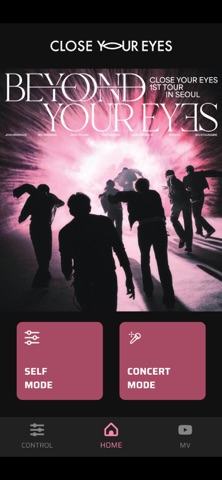
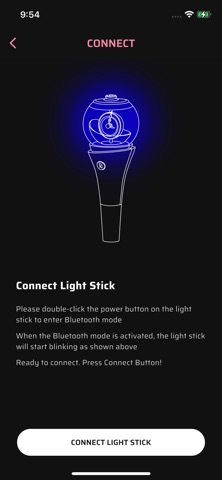
This is the official mobile app for the CLOSE YOUR EYES Light Stick. * Light Stick and Smartphone Bluetooth Connection Turn on the light stick and press the button twice to enter Bluetooth mode. Enable Bluetooth on your smartphone and bring the light stick close to the screen. The light stick will then connect to your smartphone. Once the light stick is connected to your smartphone, you can use both Concert Mode and Self Mode. 1. Concert Mode When you connect the light stick to your smartphone and link your ticket’s seat information, the light stick will operate automatically in sync with the concert’s stage production. This mode is only activated during official concerts with seat-based lighting control. 2. Self Mode After connecting the light stick to your smartphone, you can freely change the light stick’s colors through the app. You can also use the mood light feature based on your selected colors. [App Access Permission Notice] In accordance with Article 22-2 (1) of the Act on Promotion of Information and Communications Network Utilization and Information Protection, we provide the following information regarding required app permissions. [Optional Permissions] Notifications: Used to receive app notifications Location: Used for BLE connection BLE: Used to connect the light stick
What's new · 1.0.1
Bug fixes and performance improvements. Please keep the app updated to the latest version for stable service.
Details