
Chart standing · US
What changed · US
Listing changes AppTracker has observed for this app in this storefront — new versions, price moves, rating shifts, and store copy.
Your note, right on the Lock Screen. Write a note or a checklist, tap Put on Lock Screen, and it stays there — big, always visible, in your own gradient and font. Check off items straight from the Lock Screen, no unlocking needed. Requires iOS 16.2 or later. Checklists come to the editor too: turn any note into a checklist, add rows with Return, and check things off as you go. Pick a paper design — plain, lined, grid or dotted — and preview exactly how it will look before you add it. Also new: press and hold the app icon to jump straight to your Lock Screen note, a System font in text styles, a friendlier welcome to Community quotes, a smoother drag-to-delete bin, and the usual polish.
Price & rating history · US
Reconstructed from the listing changes AppTracker has observed in this storefront, so each line starts at the first change on record.
Average rating
Screenshots


About
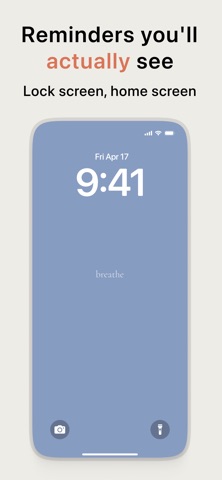
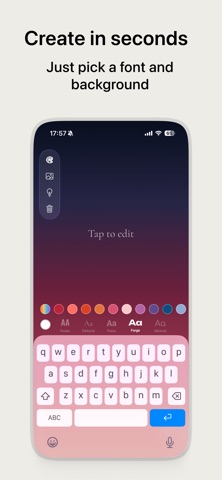
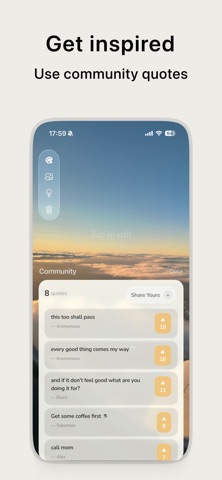
Turn your wallpaper into a daily affirmation. bg text lets you create simple, beautiful wallpapers with custom text — and pin a note or checklist right on your Lock Screen. Add an affirmation, manifestation quote, goal or to-do — and see it every time you pick up your phone. Your lock screen is the first thing you see dozens of times a day. Make it count. HOW IT WORKS - Tap to type your reminder - Pick from 20 curated colors or use a custom one - Choose a font that fits your style - Save and set as your wallpaper or lock screen - Or tap Put on Lock Screen to keep it there as a live note It takes seconds. No account needed. No learning curve. USE IT FOR - Lock Screen notes: shopping list, today's to-dos, "don't forget the keys" - Daily reminders: "drink water", "take meds", "call mom" - Motivation: "you got this", "keep going", "one day at a time" - Goals: "gym at 6", "no phone before 9am", "read 30 min" - Mindfulness: "breathe", "be present", "let it go" - Manifestation & woo woo: "I am abundant", "universe has my back", "I attract success" - Study focus: "finals in 2 weeks", "stay off socials" - Habit building: "no sugar", "journal tonight", "stretch" - Vision board: put your biggest goal front and center - Relationship reminders: "be patient", "listen more" DESIGNED TO BE MINIMAL No busy templates. No stock photos. No distracting graphics. Just your words on a clean gradient or solid-color background. Pick from 20 hand-picked Pantone-inspired colors, or dial in your own with the custom color picker. FONTS THAT FIT YOUR VIBE Choose from a curated set of fonts — modern, classic, bold, or handwritten. Every wallpaper looks intentional, not generic. NOTES ON YOUR LOCK SCREEN Put a note or checklist on your Lock Screen — big, always visible, no unlocking needed. Write a to-do list, shopping list or reminder, style it with your gradient and font, and tick items off right from the Lock Screen. It's a sticky note that never falls off — and never gets buried in a notes app you forget to open. WHY PEOPLE LOVE IT - See your goals every time you pick up your phone - Build habits with visual cues on your home screen - Replace doomscrolling triggers with purpose - Keep it private — no social sharing, no accounts - Notes, memo & to-do list on the Lock Screen — tap to check off COMPLETELY FREE. NO ADS. bg text is free to use and contains no ads, no trackers, no in-app purchases. Just a simple, focused tool that does one thing well. Your phone. Your words. Your reminder.
What's new · 1.22.0
Your note, right on the Lock Screen. Write a note or a checklist, tap Put on Lock Screen, and it stays there — big, always visible, in your own gradient and font. Check off items straight from the Lock Screen, no unlocking needed. Requires iOS 16.2 or later. Checklists come to the editor too: turn any note into a checklist, add rows with Return, and check things off as you go. Pick a paper design — plain, lined, grid or dotted — and preview exactly how it will look before you add it. Also new: press and hold the app icon to jump straight to your Lock Screen note, a System font in text styles, a friendlier welcome to Community quotes, a smoother drag-to-delete bin, and the usual polish.
Details