

Scan UP – Secure Scanner
Vision Go GmbH · Productivity
Independent analytics for this App Store listing. AppTracker is not affiliated with Vision Go GmbH.
Chart standing · US
What changed · US
Listing changes AppTracker has observed for this app in this storefront — new versions, price moves, rating shifts, and store copy.
Improved PDF sharing and previews for imported multi-page documents. Faster page browsing and clearer cloud sync status. More distinct document tools, including Study Pack.
Screenshots

About
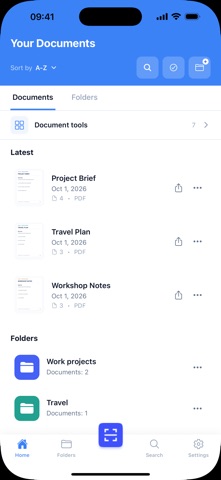
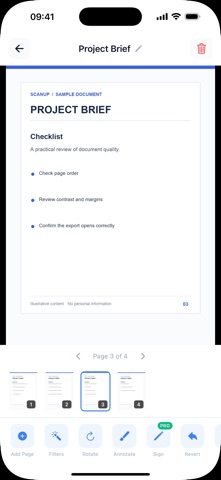
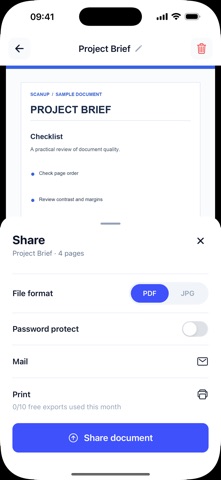
Turn everyday paperwork into PDFs you can find and share. ScanUP helps you capture receipts, invoices, forms, letters and notes with your phone, then keep related documents together. SCAN ONE PAGE OR SEVERAL Capture a single page or combine several pages in one document. Review the pages, export a PDF and use your phone's share options to send it. Keep a copy of a receipt, gather a multi-page form or share notes without sorting through loose paper. ORGANIZE IN FOLDERS Create folders for expenses, school, work or personal paperwork. Give documents clear names so the right file is easier to find later. OPTIONAL ONLINE FEATURES Sign in to sync supported documents when connected to the internet. Upload must complete before a document stored only on this device becomes available on another device. Features that need an account or connection are identified in the app. READY-TO-SEND PDF In Document tools > Ready-to-send PDF, assemble pages from saved documents into a new draft. Move or remove pages, name the file and choose a target size before preparing the PDF. The app shows the actual size and tells you if a smaller target would require more quality loss; a specific size is not guaranteed. Share the result through iOS or save a separate new document while leaving the originals in place. Importing an existing PDF into this tool requires a separate choice to allow temporary server rendering; text layers in imported files become page images. STUDY FROM READABLE PAGES Study pack can create source excerpts, practice cards and a quiz on your device when the document has readable text. An optional AI path asks for separate consent before sending selected source text to OpenAI for a summary, cards and quiz. Check answers against the cited source page. A blurred scan or an unreadable page can limit the result, so this is a study aid rather than a guarantee of accuracy. PAPERWORK THAT COMES BACK LATER Keep expense receipts apart from class handouts, signed forms or household bills, and give each file a date or topic you will recognize. Before sharing a contract copy or application, open the PDF and check that every page is present and legible. ScanUP prepares and organizes a copy; it does not verify the document or confirm that a recipient has acted on it. PLANS AND PRIVACY The free experience may include ads. Some tools may require a subscription or separate in-app purchase. Check the app for current features, limits, prices and terms. Data handling and privacy choices: https://scanup.app/privacy Terms of Use: https://www.apple.com/legal/internet-services/itunes/dev/stdeula/
What's new · 1.1.8
Improved PDF sharing and previews for imported multi-page documents. Faster page browsing and clearer cloud sync status. More distinct document tools, including Study Pack.
Details