

Smart Print: Printer & Scanner
Son Nguyen Minh · Utilities
Independent analytics for this App Store listing. AppTracker is not affiliated with Son Nguyen Minh.
Chart standing · US
What changed · US
Listing changes AppTracker has observed for this app in this storefront — new versions, price moves, rating shifts, and store copy.
Ratings breakdown · US
The star breakdown behind this app's rating in this storefront.
Screenshots



About
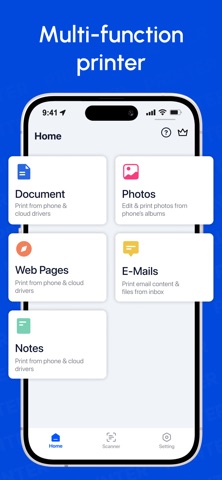
Printing from your iPhone or iPad should be simple and reliable. Smart Printer helps you wirelessly print documents and photos in just a few taps—no drivers, no complicated setup. Whether you need to print PDFs for work, documents for school, or photos at home, Smart Printer makes mobile printing fast and convenient using AirPrint and Wi-Fi printers. KEY FEATURES: WIRELESS PRINTING - Print PDFs, documents, and photos directly from your iPhone or iPad - Print from Files, Photos, iCloud, email, and supported cloud services - Print web pages and online documents - Works with AirPrint-enabled and Wi-Fi printers DOCUMENT SCANNING - Scan documents using your device camera - Save scans as PDF files - Print or share scanned documents instantly PRINT OPTIONS - Select page range and number of copies - Choose paper size and page orientation - Print in color or black & white PHOTO PRINTING - Print photos from your gallery - Resize and adjust photos before printing SUPPORTED FILE TYPES Print common file formats directly from your device, including: - PDF documents - Word files (DOC, DOCX) - PowerPoint presentations (PPT, PPTX) - Apple Pages, Numbers, and Keynote - Images and photos (JPG, PNG) - Web pages and online content PRINTER COMPATIBILITY - Smart Printer supports a wide range of wireless printers, including models from popular manufacturers such as Rollo, Pantum, Nimbot, HP, Canon, Epson, Brother, and Samsung, as well as many other AirPrint and Wi-Fi printers. - Brand names are used for compatibility identification only and do not indicate endorsement or affiliation. - For best performance, make sure your iPhone or iPad is connected to the same Wi-Fi network as your printer. SUBSCRIPTIONS Some features require a subscription. Subscriptions are billed automatically unless canceled at least 24 hours before the end of the current billing period. You can manage or cancel your subscription anytime in your App Store account settings. Privacy Policy: https://sites.google.com/unisoftstudio.com/privacypolicy/home Terms of Use: https://sites.google.com/unisoftstudio.com/tearmsandcondition/home
What's new · 1.5
fix bug + performance
Details