

Canvas Tracker
Ugochukwu Madagu · Graphics & Design
Independent analytics for this App Store listing. AppTracker is not affiliated with Ugochukwu Madagu.
Chart standing · US
What changed · US
Listing changes AppTracker has observed for this app in this storefront — new versions, price moves, rating shifts, and store copy.
- Image processing for cropping images is now faster
Ratings breakdown · US
The star breakdown behind this app's rating in this storefront.
In-app purchases · US
What this app sells inside itself, grouped by kind and priced for this storefront.
Screenshots


About
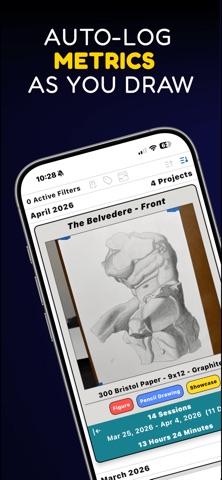
Canvas Tracker lets you easily track your art making habits in real time. Metrics like time spent and creation/completion dates for each session are tracked automatically so that you can focus on creating. In addition to tracking project and session times, Canvas Tracker also lets you: - Set goals around your art habits - Visualize your daily / monthly art habits with the calendar tool - Organize your artwork with tags and filters - Quantify your art practice with cumulative statistics If you want an app that helps you understand your art journey, then give Canvas Tracker a try.
What's new · 3.4
- Image processing for cropping images is now faster
Details