
Chart standing · US
What changed · US
Listing changes AppTracker has observed for this app in this storefront — new versions, price moves, rating shifts, and store copy.
- [New] Device frame: export a screen recording as a video wrapped in a real device frame — no more mocking it up by hand before you post. Tap the badge on a video thumbnail on the home screen to trim the clip, scrub to any frame to check how it looks, see the estimated file size before exporting, and export it silent if you like - [Improved] Text annotations: the buttons stay tappable after you zoom out, Return adds a line break, and you can drag the side handles to set the text width
Price & rating history · US
Reconstructed from the listing changes AppTracker has observed in this storefront, so each line starts at the first change on record.
Average rating
Ratings breakdown · US
The star breakdown behind this app's rating in this storefront.
Screenshots
About
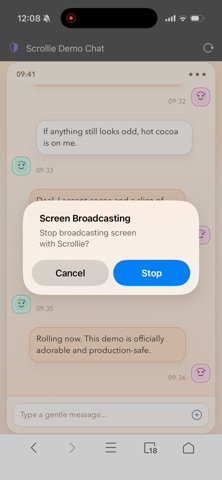
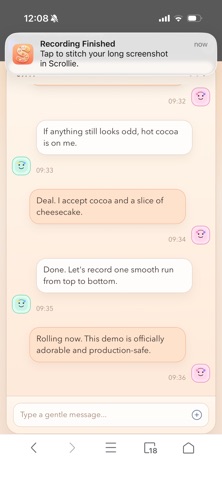
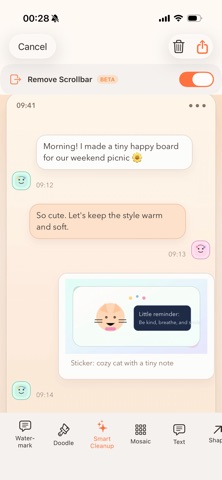
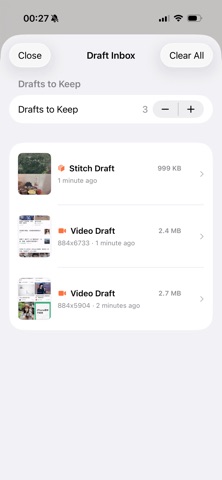
Scrollie turns screen recordings, sequential screenshots, or even a single image into a clean, seamless long screenshot in seconds. Whether you are saving chat history, social feeds, web pages, documents, or notes, Scrollie makes capture, stitching, editing, and export easier. Key features: • Turn screen recordings into long screenshots, with automatic stop after scrolling ends • Stitch multiple screenshots into one seamless image, with more reliable long screenshot detection in manual stitching • Open a single image directly in the editor for annotation, mosaic, watermark, and export • Smart overlap detection and Smart Cleanup for more natural results and cleaner scrollbars • Export to JPEG, PNG, HEIC, PDF, or sliced images for different layouts and platforms • Slide to select multiple photos, and add more directly even under limited photo access • Auto-save drafts with separate portrait and landscape recovery • Use URL Scheme and Shortcuts to open the latest screenshot or screen recording • Optimized for iPhone and iPad, with improved dark mode and clearer save, share, and permission feedback Privacy first: All processing is done on-device. Your screenshots and recordings are not uploaded to our servers. Scroll, Stitch, Share. In-App Purchases: • Lifetime Pro Access • Pro Monthly Subscription (1 month) • Pro Annual Subscription (1 year) Prices may vary by region and are shown in the app before purchase. Terms of Use (EULA): https://www.apple.com/legal/internet-services/itunes/dev/stdeula/
What's new · 2.2.0
- [New] Device frame: export a screen recording as a video wrapped in a real device frame — no more mocking it up by hand before you post. Tap the badge on a video thumbnail on the home screen to trim the clip, scrub to any frame to check how it looks, see the estimated file size before exporting, and export it silent if you like - [Improved] Text annotations: the buttons stay tappable after you zoom out, Return adds a line break, and you can drag the side handles to set the text width
Details