

SDCull
One Rad Studio LLC · Photo & Video
Independent analytics for this App Store listing. AppTracker is not affiliated with One Rad Studio LLC.
Chart standing · US
What changed · US
Listing changes AppTracker has observed for this app in this storefront — new versions, price moves, rating shifts, and store copy.
Version 1.7.2 fixes a bug: • A move or delete can stop partway through a RAW+JPEG pair, for example when the card is removed. Before this fix, you then could not move or delete the rest of the pair. Now SDCull shows only the files that are still on the card, and a second try finishes the job.
Price & rating history · US
Reconstructed from the listing changes AppTracker has observed in this storefront. A field is charted once it has changed more than once, and each line starts at the value it moved from.
Average rating · ★ 4.93 now · 6 changes on record
Screenshots





About
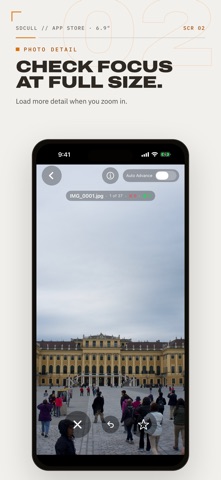
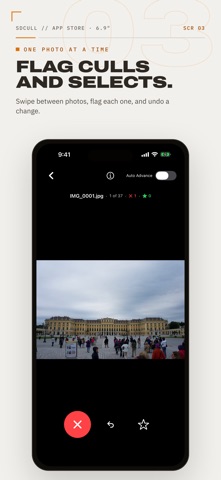
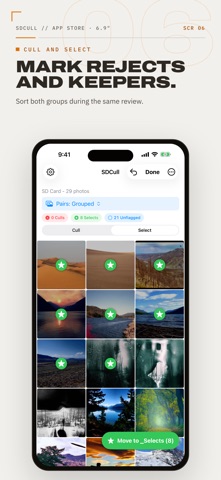
SDCull helps you sort photos directly on an SD card, external drive, or folder in the Files app. You do not need to import the photos first. Review photos one at a time or select several from the grid. Mark unwanted photos as culls and mark keepers as selects. Culls move to a _Culls folder. You can review them there before you delete them. Selects move to a subfolder on the card or to another drive or folder. SDCull copies each file and confirms the copy before it removes the original. SDCull supports common photo formats and RAW files, including ARW, CR2, NEF, DNG, and RAF. It can group matching RAW and Non-RAW files so that you can review and move them together. Other features include: • Sort by filename, EXIF capture time, or modification date. • Filter by file type or flag. • Zoom in to inspect detail. • View the camera, lens, exposure, and file information. • Undo flag changes. • Keep flags after you close the app. • Use keyboard shortcuts on an iPad. SDCull works offline and does not require an account.
What's new · 1.7.2
Version 1.7.2 fixes a bug: • A move or delete can stop partway through a RAW+JPEG pair, for example when the card is removed. Before this fix, you then could not move or delete the rest of the pair. Now SDCull shows only the files that are still on the card, and a second try finishes the job.
Details